Key points
- NCF responds to get_field(), have_rows() and other ACF functions.
- The migration copies ACF values without deleting anything.
- The reverse path exists, to go back to ACF if needed.
Advanced Custom Fields taught an entire generation of WordPress developers how to structure a site: field groups, repeaters, flexible content, and get_field() everywhere in the theme. It is an excellent tool. The question is not whether it is good, but whether it should remain a separate plugin on every site.
What the Custom fields module does
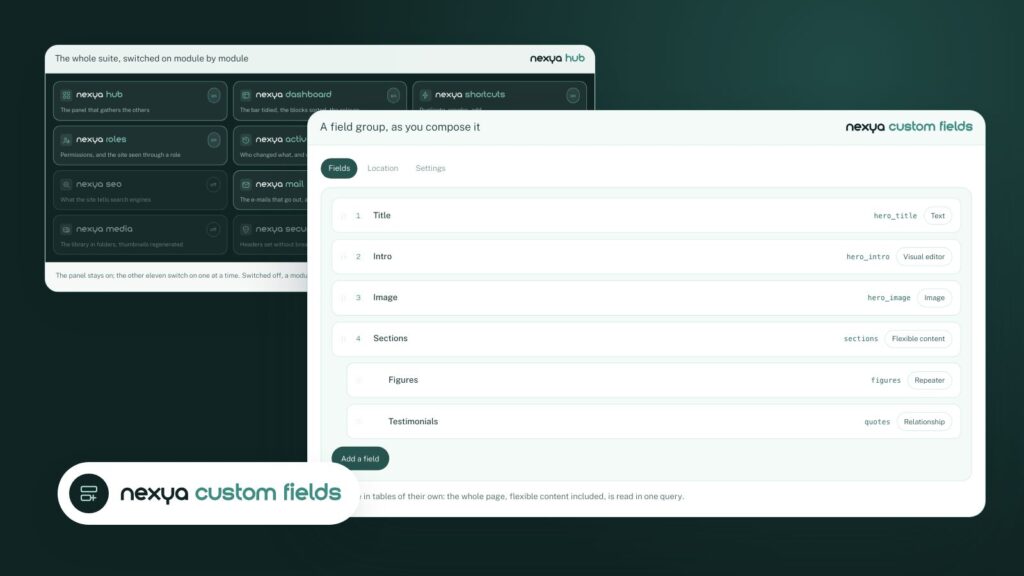
The nexya Custom Fields module covers the common needs of a custom-built site:
- field groups placed according to rules (content type, page template, options page, etc.);
- repeaters, flexible content, and content relationships;
- options pages, open to editors if you wish;
- values stored in their own tables rather than scattered across metadata.
The module is part of the free version, on as many sites as you want.
The theme does not change
This is the point that matters most in practice. nexya responds to the same function names: get_field(), the_field(), have_rows(), the_row(), get_row_layout() and others.
On a site that still runs with ACF, nothing conflicts: ACF responds to get_field(), nexya responds to nexya_get_field(). On a site without ACF, the same theme continues to work as is.
You can therefore move a site from one tool to the other without touching a single template, or migrate template by template if you prefer to proceed cautiously.
The data is carried over, nothing is deleted
The migration reads what ACF has saved and copies it into nexya’s tables. ACF stores next to each value a row that names the field it belongs to: this is what makes it possible to find everything without guessing, repeaters included.
Nothing is deleted. The old values remain in place as long as ACF is not removed: you can check the migration, and ignore it if needed. The reverse path also exists, for a site that might want to switch back to ACF.
And with Elementor?
The Element module adds sixteen Elementor widgets to display custom fields, both nexya’s and ACF’s: repeaters in cards, tabs or tables, galleries and carousels, key figures, teams, timelines, maps.
When to keep ACF
If your site relies on a third-party plugin built on ACF, or if your team has internal tools that depend on it, keep it: nexya knows how to live alongside it. For a showcase site or a classic custom site, grouping the fields with the rest of the admin means one less plugin and license to track.
FAQ
Is nexya Custom fields a free alternative to ACF Pro?
Yes. Repeater, flexible content, relations, options pages and conditional logic are part of the free version, on as many sites as you want.
Does migration from ACF delete my data?
No. The values are copied into the NCF tables; the old ones remain in place as long as ACF is not removed.
Can I keep ACF and NCF on the same site?
Yes. As long as ACF is installed, it responds to get_field() and NCF responds to nexya_get_field(): nothing conflicts.
The modules in this post
Try nexya Pro free for 7 days
Every module, newsletters and the page cache, on your site. No commitment.