nexya activities
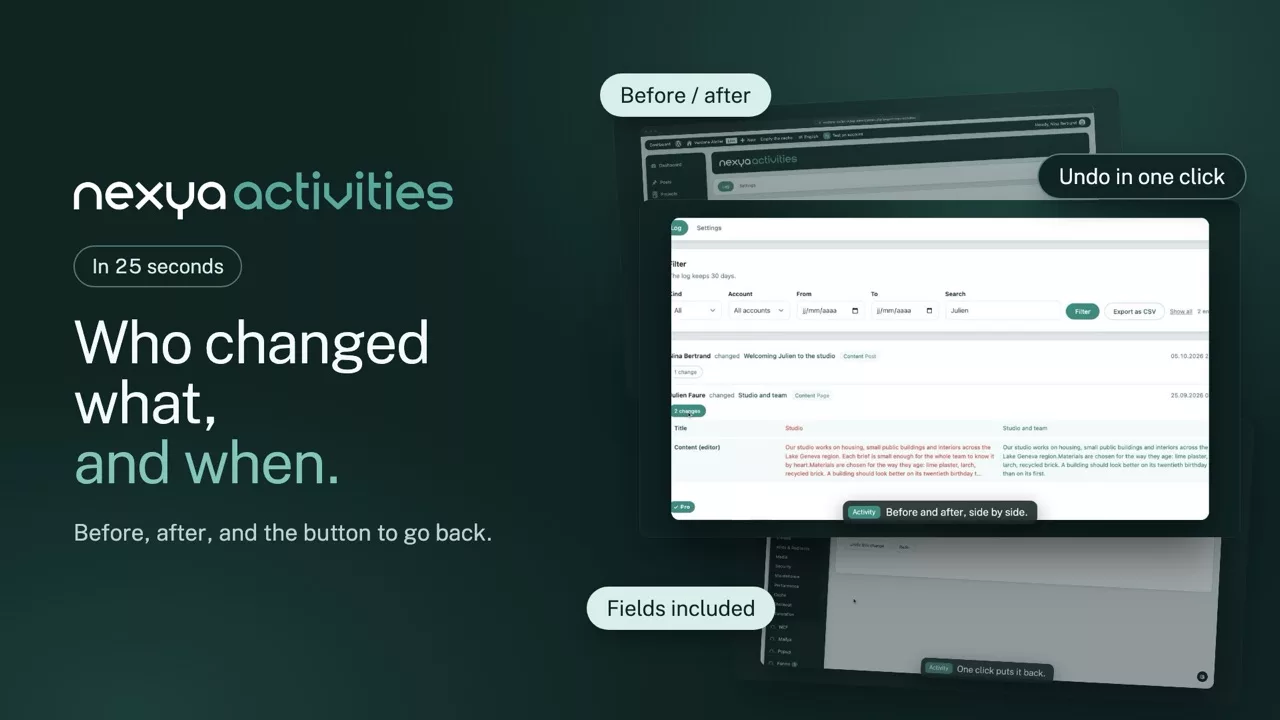
Who changed what, and when. Right down into the ACF fields, with the value before and the value after — and the button to put it back
- It goes down into the ACF fields Not just “the Contact page was modified”, but which field, in which row of which repeater, with the old value and the new one facing it. That is what other journals do not show
- Undo in one click A reverted change becomes what it was, and can be replayed. Including a deleted menu entry — the one you can never find again otherwise
- It ignores its own plumbing The suite’s internal handling does not clutter the journal. You read what people did to the site, not what the plugin did to itself
- Menus and plugins too Menu entries moved, plugins activated, core updates. These are the changes you go looking for when a site starts behaving differently
Row 2 changed
Row 4 added
Go back to the previous state, or do it again. The journal keeps both states, it guesses neither.
Why the ACF detail matters
On a site built with ACF, most of the content does not live in the editor but in fields — often nested inside repeaters or flexible content. A journal that says “the page was modified” is then useless: the question is always “modified where?”. The module compares field by field and shows the path, which lets you see that an opening time changed in the second row of a table, and nowhere else.
What it records
Content created, modified and deleted, whatever the type. Menus, entry by entry. Plugins activated, deactivated, updated. Core updates. Logins. Every line carries the account behind it and the exact time.
What it deliberately does not record
Neither the suite’s own internal handling, nor permission changes, nor technical details nobody can interpret. A journal read by a client should hold what they understand and can act on. The rest is noise, and noise eventually makes people close the page.
Free
Filterable journal for thirty days, ACF detail, export
Pro
Undo and replay, long retention, one journal for every site
The suite