← Back to modules

nexya mail WordPress SMTP: e-mails that really go out

WordPress site emails actually get sent — and we know which ones didn't, with the exact reason provided by the SMTP server

  • No more messages in spam A forced sender, consistent with the domain, and an aligned return path. This is what most sites whose contact form "doesn't work" are missing
  • Fifteen methods, including eleven via API SendGrid, Brevo, Mailgun, Postmark, Resend, and others use their HTTPS API. This works even when the host blocks the outgoing SMTP port, which has become the standard. Gmail and Microsoft 365 connect via OAuth, without storing passwords on the site.
  • The log only keeps failures No copy of everything sent, only what failed: the reason provided by the server, the recipient, and the subject—and, with Pro, the headers and content. The Log tab displays their count.
  • A test email that actually says something The test message displays the address and method used. When it fails, you read the server's response, not just "an error occurred"
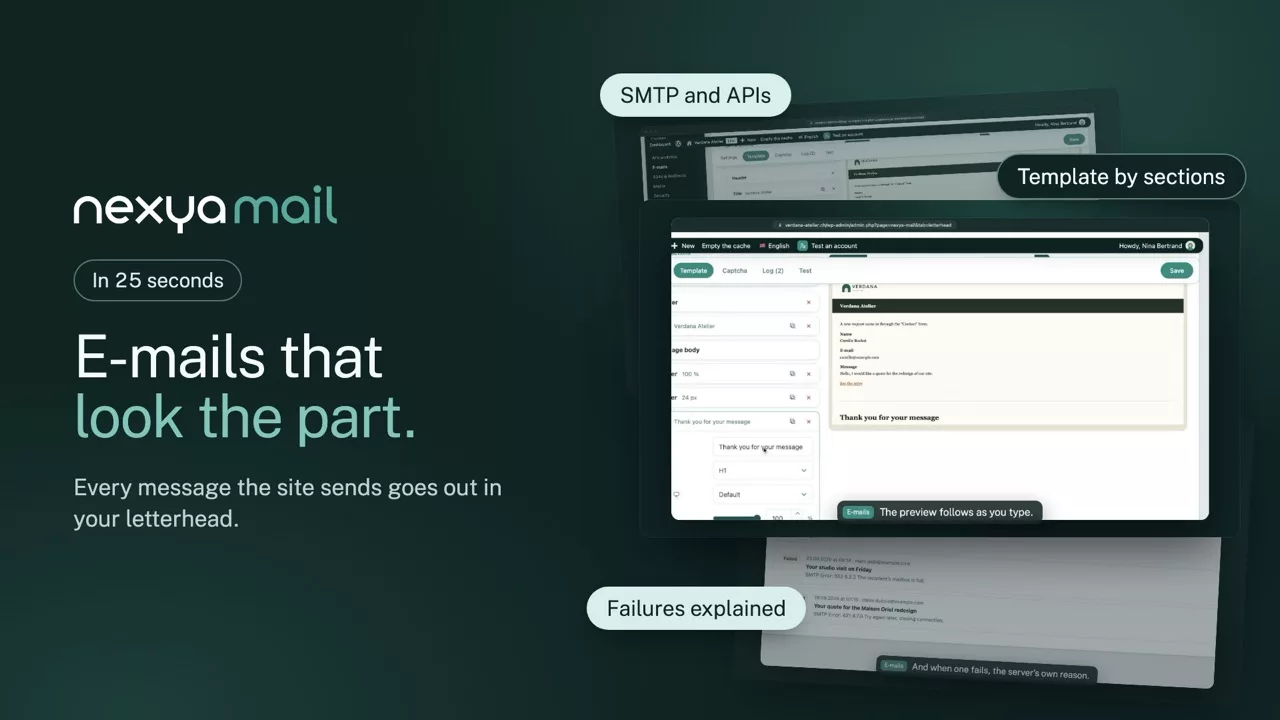
nexya mail on video: WordPress SMTP: e-mails that really go out 0:25

What it can do

A WordPress SMTP plugin so the site’s e-mails really go out

An e-mail that does not go out is a contact form lost without anyone knowing. Here, sending goes through a real service, and every failure is logged with the reason the server gave.

Sending method

Fifteen ways to send, eleven of them by API

SendGrid, Brevo, Mailgun, Postmark, Resend and the others go through their HTTPS API: sending works even when the host blocks the SMTP port. Gmail and Microsoft 365 connect via OAuth, with no password stored on the site.

  • Enforced sender, aligned with the domain
  • A test e-mail that states the method used
  • With Pro, a second server if the first one fails
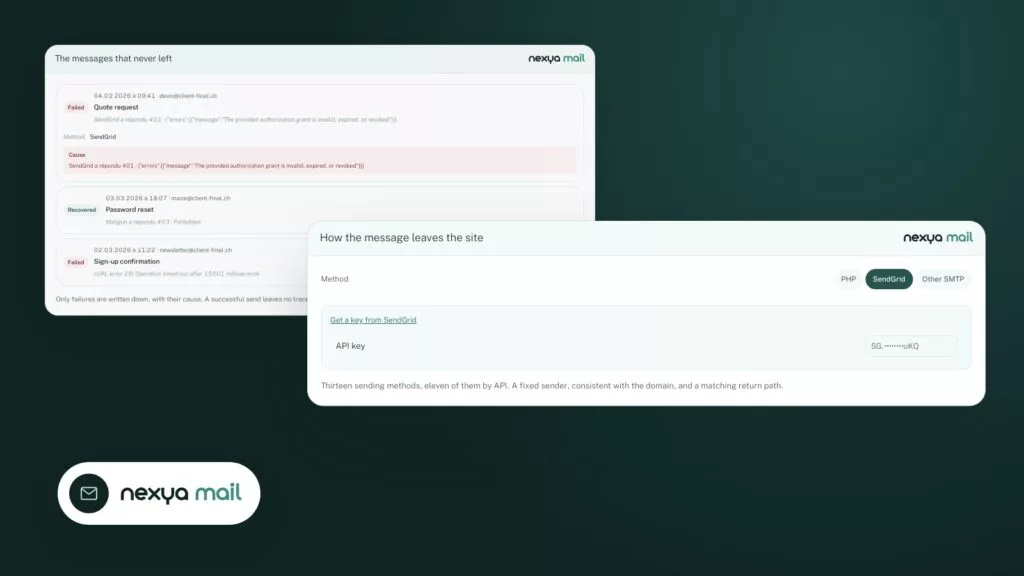
How the message leaves the site nexya mail
Method
API key SG.••••••••uKQ

Thirteen sending methods, eleven of them by API. A fixed sender, consistent with the domain, and a matching return path.
The log

Failures, with the exact reason

The log does not keep a copy of everything sent, only what failed: the recipient, the subject and the server’s reply. The tab shows how many, and with Pro an alert warns you as soon as a message gets stuck.

  • With Pro, headers and content of failed messages
  • Long retention with Pro
  • No copy of successful e-mails
The messages that never left nexya mail
  • Method
    SendGrid

    Cause SendGrid a répondu 401 : {"errors":[{"message":"The provided authorization grant is invalid, expired, or revoked"}]}

  • Method
    Mailgun

    Cause Mailgun a répondu 403 : Forbidden

  • Method
    Postmark

    Cause cURL error 28: Operation timed out after 15001 milliseconds

Only failures are written down, with their cause. A successful send leaves no trace, and the journal tab carries the count.

The template

E-mails in your colours

With Pro, the site’s messages go out on letterhead: logo, hub colours and footer. WordPress, form and WooCommerce e-mails all keep the same look.

  • Preview before saving
  • Colours taken from the hub
  • Plain-text version kept for simple readers
A site e-mail, composed section by section nexya mail
  • Header Logo and date
  • Title New message
  • Message body The text the site sends
  • Footer Rue du Lac 12 · 1003 Lausanne

New message

A request came in through the “Contact” form.

Name
Camille Rochat
E-mail
camille@example.com
Message
Hello, I would like a quote for the redesign of our site.
Rue du Lac 12 · 1003 Lausanne

The same builder as Mailya’s newsletters, on desktop and on phone.

And everything else, already included

  • Gmail and Microsoft 365 OAuth connection, no app password.
  • Out of spam Return path aligned with the sender.
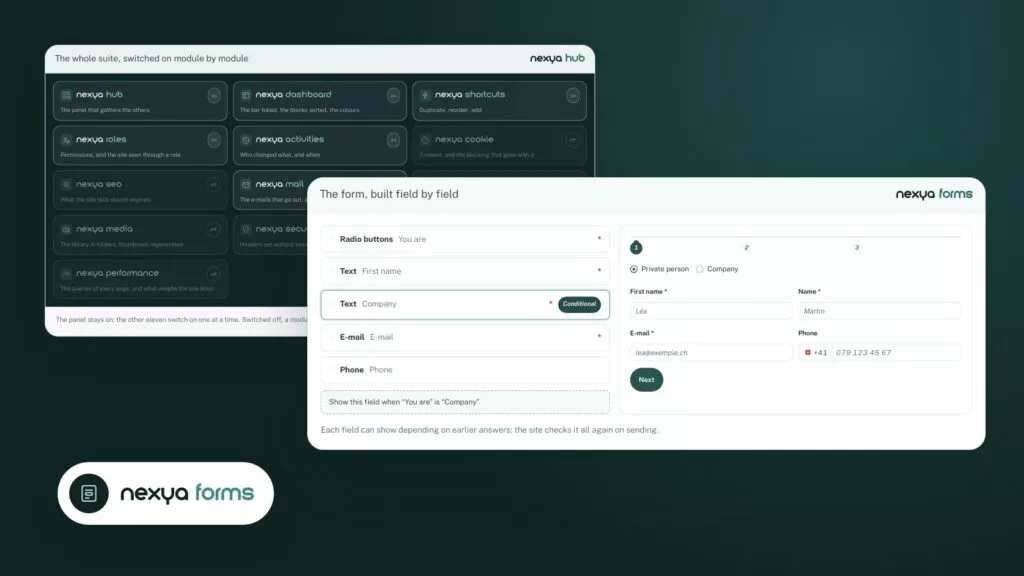
  • Forms included Contact Form 7, Gravity Forms, WPForms and others benefit.
  • Secrets protected API keys and passwords encrypted in the database.

Why site emails get lost

By default, WordPress writes its messages using the PHP mail function, from an address like wordpress@your-domain that no one has authorized to write on behalf of the domain. Modern filters check this authorization and move the message to spam, or reject it. The site, however, believes it has sent it. The module removes both causes: a real sender address, and a real sending server.

Why APIs instead of SMTP

More and more hosts are closing the outgoing SMTP port to limit abuse. A perfectly correct SMTP setting then fails without a readable explanation. API sends go through HTTPS, on the same port as a web page: they work wherever the site works.

What the log contains, and what it removes

Only failures are kept, with the cause, the recipient, and the subject—and, with Pro, the headers and the message body, enough to understand without having to reproduce. Keys and tokens are removed from addresses before recording, so that a searchable log does not become a place where credentials linger.

Free

Forced sender, fifteen sending methods including Gmail and Microsoft 365, failure log

Pro

Alert when a message fails to send, long retention, secondary sending server, emails styled in your colours

On the blog

Our guides: WordPress SMTP

Guides · 4 min read

Changing the style of a WordPress form: checkbox, width, button and RTL

A WordPress form's style almost always breaks for the same reason: the theme and the form are competing for the same elements. This article shows how to find the offending rule and fix it (checkboxes, width, submit button, right-to-left languages), and what nexya forms already fixes for you.

  • A form inherits the theme's CSS: the browser inspector shows which rule wins and where it comes from.
  • A consent checkbox that is too wide can be fixed with width: auto, scoped to the form container.
  • An ineffective button CSS is either less specific than another rule, not loaded, or hidden by a cache.

Read the post

Behind the scenes · 4 min read

WooCommerce checkout in steps, slide-in cart and targeted offers: what nexya 1.4.0 brings

nexya 1.4.0 gives the WooCommerce checkout its own page, in steps, with the order summary right next to it. The customer fills in fewer fields and makes fewer errors. On your end, you can offer them a related product or an offer just as they are about to pay.

  • The WooCommerce checkout is displayed on its own page, in steps, with the summary next to it and a thank-you page in the same style.
  • Slide-in cart, floating button, cart in the menu with [nexya_cart] and Elementor widget: the product count updates live.
  • City filled automatically from the postal code in eight countries, email typos spotted, international phone format, verified IDE (UID) number.

Read the post

Guides · 5 min read

WordPress Backup SMTP Server: continue sending despite a 401, 500 error, or exceeded quota

A backup SMTP server on WordPress prevents site emails from stopping as soon as the main provider responds with a 401 error, a 500 error, or a quota exceeded error. This article explains how to read the exact cause of the failure, and then how to set up a second server that takes over and alerts you.

  • The Mail module log displays the exact cause of each failure: 401, quota exceeded, 500 error.
  • A 401 error is fixed at the source, while a quota exceeded or a 500 error can be worked around with a second server.
  • The second sending server and failure alerts are part of nexya Pro, not the free version.

Read the post

Get started

nexya mail in three steps

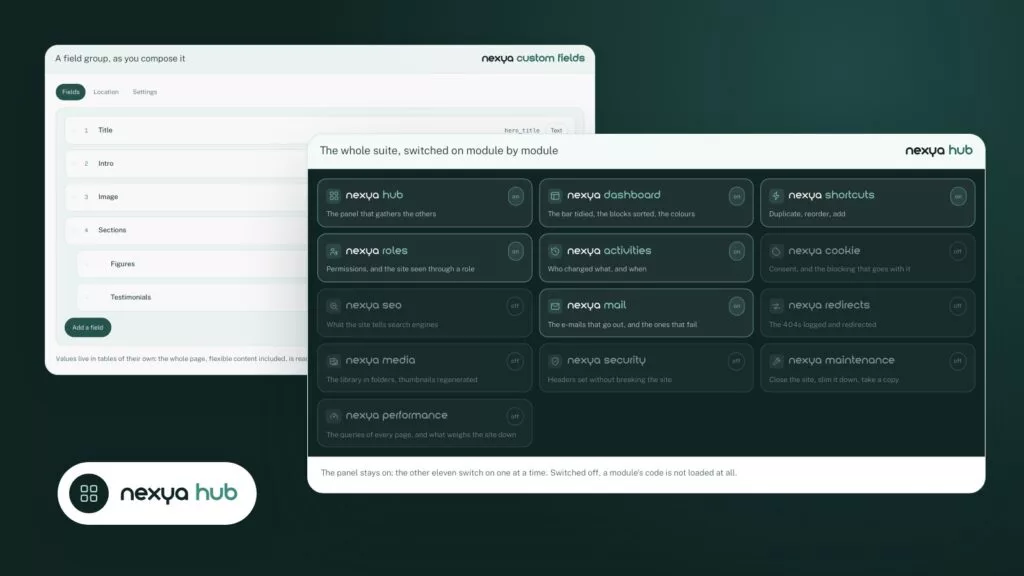
  1. Switch on nexya mail In the nexya hub.
  2. Choose the sending method SMTP, or the API of Brevo, SendGrid, Mailgun, Postmark, Resend… then the site’s sender.
  3. Send a test The test message says how it left. If it fails, the log gives the server’s exact answer.

nexya mail is in the free extension, on as many sites as you want.

FAQ

Everything about nexya mail

Most often the host sends with an address that does not match the domain, and messages end up in spam or are refused. nexya mail sets a consistent sender and goes through a real sending service.

In nexya mail, choose SMTP or one of the services supported by API (Brevo, SendGrid, Mailgun, Postmark, Resend, SparkPost, SMTP2GO…). The API goes over HTTPS, even when the host closes the SMTP port.

The same sending process, with a log that only keeps failures and their causes, plus an invisible captcha for forms, all in the same module. With Pro, a letterhead also styles the site's emails.

The Captcha tab adds an invisible captcha: no Google, no cookie, nothing to tick. A submission that looks suspicious gets a small challenge instead of being refused. It covers the login, comments and the major form plugins such as Contact Form 7, WPForms and Fluent Forms.

The Log tab counts failures. With Pro, an alert notifies you, and a second sending server takes over if the first one does not respond.

Not necessarily: your host’s or mailbox’s SMTP is enough. A service like Brevo or SendGrid is safer when the SMTP port is blocked.

Through OAuth: a button opens the Google or Microsoft sign-in, and no password is stored on the site.

Yes, they are encrypted in the database, like SMTP passwords.

The suite

Other modules