
← Back to modules

nexya redirects WordPress 301 redirects and 404 errors

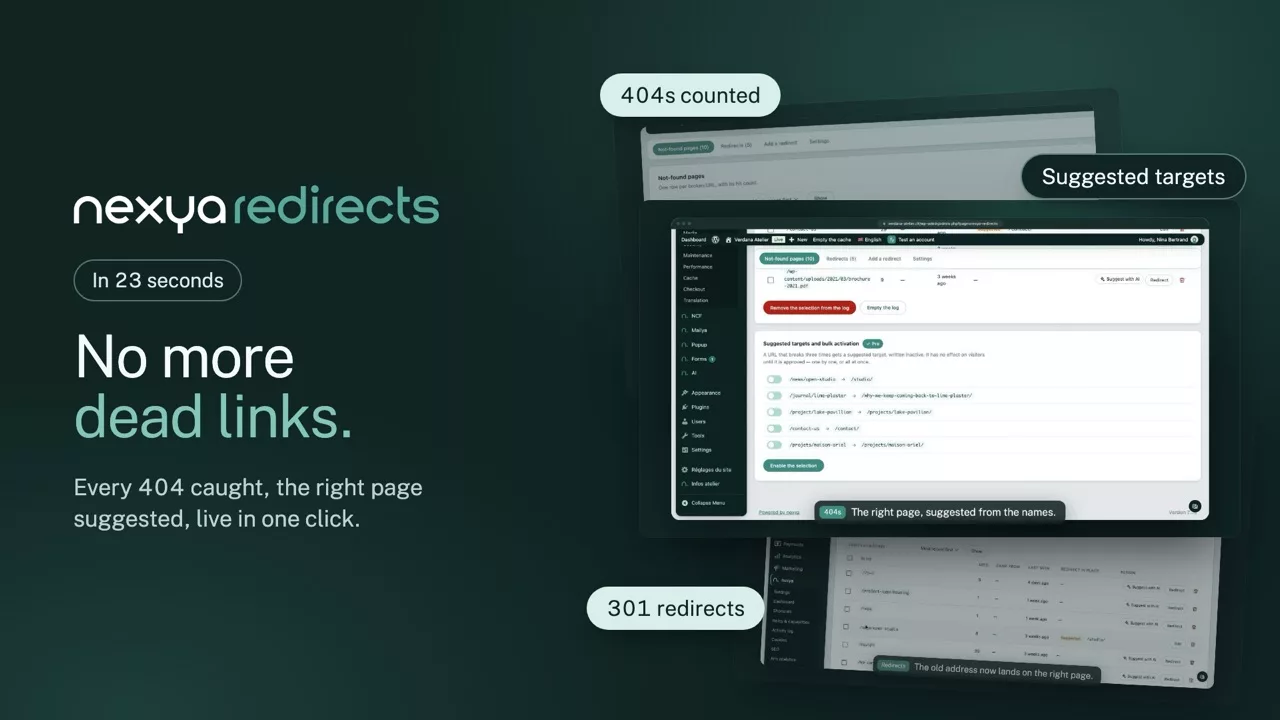
404 errors identified during visits, along with the number of hits to know which ones matter, and the 301 redirection that fixes them. With Pro, the target is suggested before you even look for it.

  • The target is already suggested With Pro, the module searches for a page with the same name elsewhere on the site, then the closest match, then the archive of the corresponding type. All that remains is to validate — or correct, though that is rare.
  • Nothing switches itself on Pro suggestions are created as inactive: they have no effect until someone validates them. No redirection appears on your site without a human having decided on it.
  • The counter says which ones matter A 404 seen four hundred times and one seen only once do not require the same effort. Each row displays its number of hits: you can immediately see which ones are costing you traffic.
  • It takes effect immediately Activating a redirection clears the WP Rocket or W3 Total Cache. The next visitor is redirected, even if the page was already being served from that cache.
nexya redirects on video: WordPress 301 redirects and 404 errors 0:23

What it can do

WordPress 404 errors found, counted and fixed with 301 redirects

Every broken URL a visitor asks for is logged with its hit count. You see the ones costing traffic, fix them with a redirect, and robots hunting for security holes stay out of the list.

The 404 log

Missing pages, from most hit to least

Each row shows the URL, its hit count, the page the visitor came from and the last visit. Search, sort, remove in bulk what does not matter; a button creates the redirect with the URL already filled in.

  • The target page picked from the list of published pages
  • Vulnerability scanner addresses never recorded
  • Loops refused before saving
The 404s picked up nexya redirects
Address Hits Came from Last time Redirect Action
/notre-equipe 1 248 google.com 2 hours ago Suggested /a-propos/equipe Edit
/ancienne-page 412 client-final.ch 5 hours ago Active /nouvelle-page Edit
/blog/2019/actu 87 — 2 days ago — Redirect
/contactez-nous 31 linkedin.com 4 days ago Active /contact Edit

The counter says which ones matter: a 404 seen a thousand times and one seen once do not deserve the same effort.
Suggested targets

The right page, suggested before you look for it

With Pro, each new 404 gets a target: a page with the same name elsewhere on the site, the closest one, or the right archive, and AI can suggest one. Suggestions stay inactive until someone approves them.

  • Bulk approval of suggestions
  • CSV import for a redesign
  • Pattern and regular expression redirects
The suggested targets nexya redirects

Suggested targets and bulk approval

Pro

An address that breaks three times gets a suggested target, written inactive. It has no effect on visitors until it is approved — one by one, or all at once.

Nothing switches itself on: no redirect appears on the site without a human deciding it.

Redirects

All rules in one tab, sorted and managed in bulk

Redirects have their own tab, separate from the 404 log. A filter shows active or inactive ones, checkboxes let you switch on, off or delete several at once, and a CSV export takes them to a spreadsheet.

  • Exact, prefix or regular expression
  • Hit count per rule
  • CSV export in one click
Saved redirects nexya redirects
Source Status
/ancien-blog/ → /blog/ Active
/catalogue/* → /boutique/* Prefix
/promo-2025/ → / Inactive
/ancien-produit/ 410 Active

Filter active or inactive, then switch on, off or delete in bulk.

And everything else, already included

  • Redirects tab Rules on their own, filtered by active or inactive.
  • Bulk actions Switch on, off or delete several redirects at once.
  • 301, 302 or 410 Moved for good, for a while, or gone.
  • Immediate effect The WP Rocket or W3 Total Cache cache is cleared on activation.
  • CSV export All rules in a spreadsheet, in one click.
  • Log emptied in one click Redirects already in place are kept.

Redirection takes precedence over 404

Rules are applied before WordPress sends any page. An active redirection therefore always wins, and the visitor never sees the error page. This is also what allows you to redirect addresses that never existed in WordPress — those from an old site, for example.

How the target is guessed

With Pro, as soon as a broken address has been requested three times, and in this order: a page with exactly the same slug elsewhere on the site, then the content whose slug or title shares the most words with the address, then the page or archive of the content type corresponding to the first segment of the broken address. When nothing is similar enough, no target is suggested rather than a wrong one.

301, 302 or 410

A permanent redirection for a page that has moved, temporary for a provisional replacement, and 410 for content intentionally deleted — the latter tells search engines to stop coming back, instead of letting them retry for months.

Free

404 tracking, redirects written by hand with the target picked from a list, bulk switch on and delete, CSV export

Pro

Target suggested automatically, CSV import, bulk approval of suggestions, pattern redirects

On the blog

Our guides: WordPress 301 redirect

Guides · 2 min read

How many plugins on a WordPress site? How to remove half of them

Too many WordPress plugins mean more updates, more potential vulnerabilities, and a slower site. Here is how to group your daily administration tasks and remove half of them.

  • Each extension adds its own update schedule and a potential entry point.
  • Cookies, SEO, redirections, SMTP, security, and maintenance can all live in the same place.
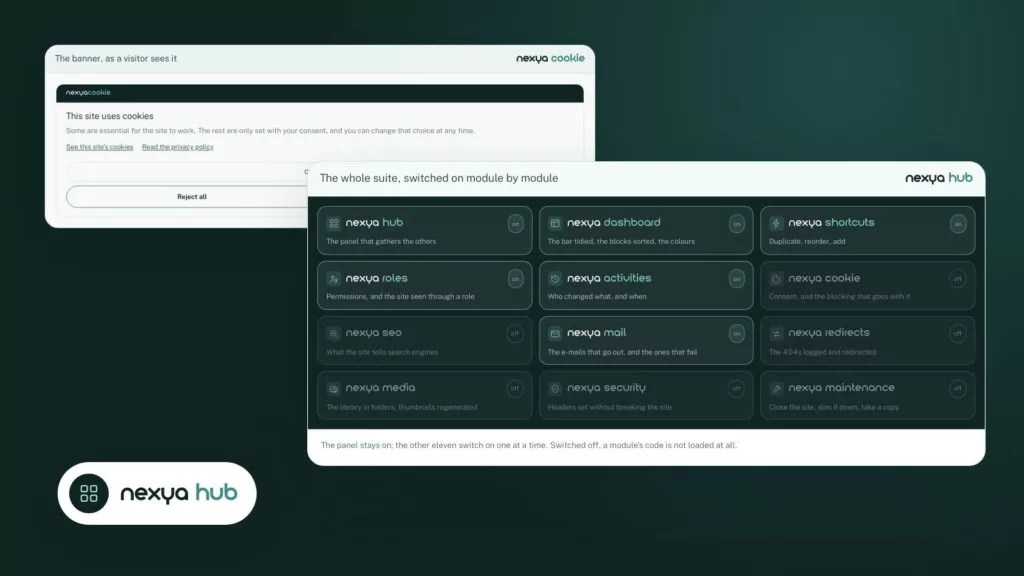
  • A disabled nexya module loads nothing: you only activate what is actually used.

Read the post

Get started

nexya redirects in three steps

  1. Switch on nexya redirects In the nexya hub: 404s start being recorded.
  2. Look at the most visited Each 404 displays its number of visits: you start with what is costing you traffic.
  3. Approve the redirect With Pro, the target is often already suggested. One click, and the next visitor arrives at the right place.

nexya redirects is in the free extension, on as many sites as you want.

FAQ

Everything about nexya redirects

In nexya redirects, enter the old address and pick the new page from the list of published pages, then save: the 301 redirection takes effect immediately, and the WP Rocket or W3 Total Cache is cleared.

The module records them as visitors hit them, with the number of times each was requested. Addresses only vulnerability scanners ask for (phpinfo, server-status…) are never recorded, other robot addresses (.env, .git…) can be turned away, and a button empties the log in one go.

The 404 log and the redirects are in the same place, and Pro suggests the target on its own: a page with the same name, the closest one, or the right archive. Suggestions stay inactive until someone approves them.

CSV export is free, and so is switching on, switching off or deleting several redirects at once. CSV import and bulk approval of suggestions come with Pro, handy for a redesign.

No, unless you requested it: suggestions wait for your validation. Only the Pro option that tracks page address changes creates the 301 automatically.

A 301 says the page has moved for good: Google passes on its ranking. A 302 is temporary, and a 410 says the page is gone.

No. The addresses they ask for, like phpinfo or server-status, are never recorded, and a button empties the log in one go.

No: a rule whose target leads back to the source, directly or through another rule, is refused before it is saved.

The suite

Other modules