
← Back to modules

nexya Checkout Pro

A step-by-step WooCommerce order, on a page of its own, with the cart on the side and suggestions at the right moment.

  • A page made for paying Without the theme’s menu or footer: three clear steps, the summary beside them, and your colours set with a live preview.
  • Less to type The town from the postcode, the e-mail typo caught, the country and phone code in a small window, what was typed kept if the page reloads.
  • Extra sales Linked products before payment, an offer to tick above the button, a side cart always at hand and abandoned cart reminders.
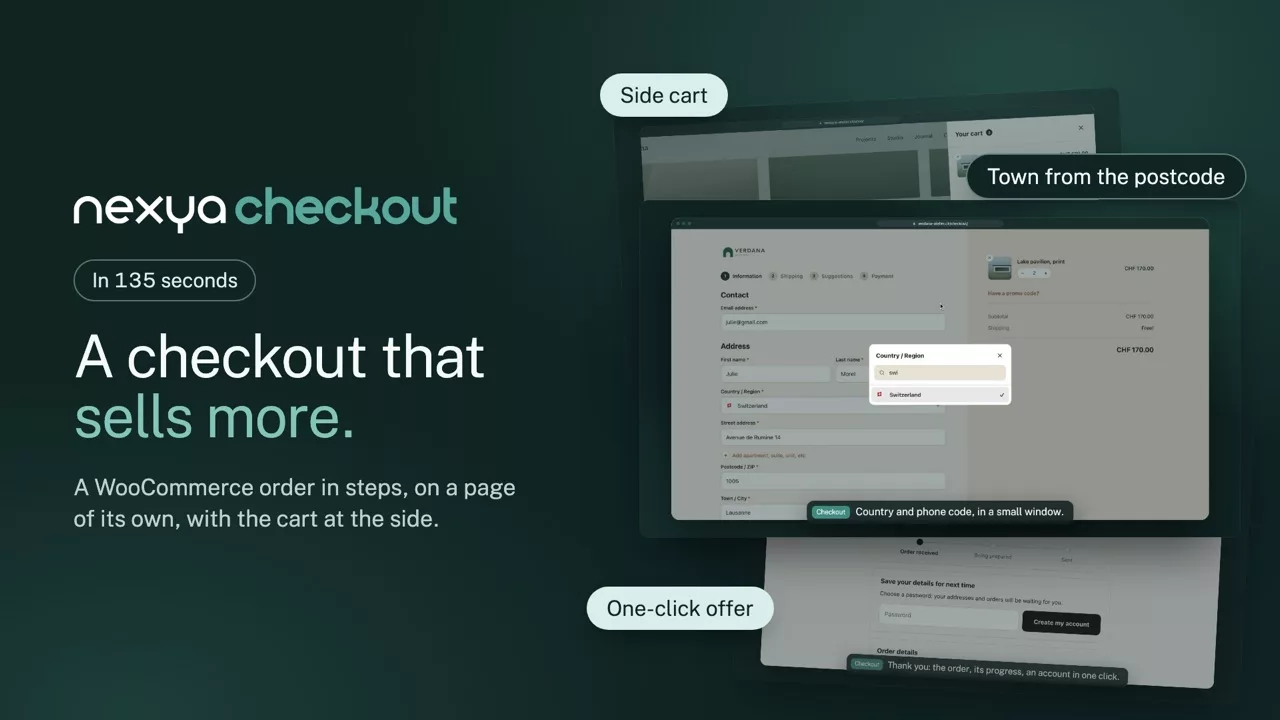
nexya Checkout on video: A step-by-step WooCommerce order, on a page of its own, with the cart on the side and suggestions at the right moment. 2:15

What it can do

A step-by-step WooCommerce checkout that sells more

The order happens on a page of its own, without the theme’s menu or footer: three clear steps, the summary beside them, less to type, and suggestions at the right moment. Everything is set with a live preview, without touching code.

The checkout page

Three steps, the summary always beside them

Details, shipping, payment: each step checks its fields before moving on, and the summary stays in sight with editable quantities and the promo code. The logo, colours and texts are set in an editor with a computer and phone preview.

  • Without the theme’s menu or footer
  • Summary folded as an accordion on phones
  • Pay bar fixed at the bottom on phones
  • Every WooCommerce hook kept
The order, on a page of its own nexya Checkout

Without the theme’s menu or footer: three steps, the summary beside them, and your shop’s colours.
The side cart

The cart opens on the side, without leaving the page

When a product is added, the cart slides in from the right or left: editable quantities, a free delivery bar and a checkout button. A floating button, a shortcode for the menu and an Elementor widget open it, with the item count following live.

  • Opens automatically when a product is added
  • “Only CHF 18 more for free delivery” bar
  • Default icon or an image of your choice
The cart, open on the side nexya Checkout

It opens when a product is added, from the floating button, the menu or the Elementor widget, and the item count follows live.

Sell more

A suggestion at the right moment, without pushing

WooCommerce’s linked products show in a Suggestions step before payment, added in one click. Just above the order button, a box to tick offers a product, with a discount if you want. Promo codes also apply from a simple link.

  • Cross-sells or upsells, as you prefer
  • One-click offer with a % discount
  • Reassurance lines and payment logos
  • Promo code by link: ?coupon=CODE
A suggestion before paying nexya Checkout

WooCommerce’s linked products in a step of their own, and an offer to tick just above the order button.

Fewer mistakes

Less to type, and hardly any mistakes

The postcode fills in the town and the canton, in eight countries. A typo in the e-mail is caught, a known customer logs in without leaving the page, and the country and phone code are chosen in a small window with search. The UID number is checked, and what was typed comes back if the page reloads.

  • Phone numbers in the international format
  • Google Places autocomplete as an option
  • Optional fields folded behind “+ Add”
  • Custom fields, free or taken from ACF and NCF
Less to type, fewer mistakes nexya Checkout

The town from the postcode, the typo caught, the country and phone code chosen in a small window.

After the order

The thank-you, and what comes next

The thank-you page shows where the order stands, offers to create an account in one click and repeats the answers to the custom fields. Later, a reminder recovers abandoned carts, a review request goes out after delivery, and the funnel in Aris shows at which step customers stop.

  • Abandoned cart reminder, in the customer’s language
  • Checkout funnel in Aris, with no personal data
  • Editable texts, translated into four languages
The thank-you, and what follows nexya Checkout

The order’s progress, an account created in one click, and the answers to the custom fields, in the e-mails too.

And everything else, already included

  • Preferred delivery date A list of dates, weekends left out if needed
  • Local pickup The address and hours show at the right moment
  • Express checkout Apple Pay, Google Pay or TWINT at the top
  • Free shipping first Chosen for the customer when offered
  • Countries at the top CH, FR, DE: yours first
  • Straight to payment for regulars A logged-in customer who has already ordered lands on payment
  • Account in one click Only a password, after the order
  • Review request An e-mail a few days after delivery
  • Captcha-ready Real orders get through, robots do not
  • WooCommerce hooks intact Payment plugins work as before
  • Translatable texts In the Translate module, Checkout group
  • Hub colours by default Ten colours, each one editable
  • Replaces CheckoutWC No extra plugin to pay every year

Pro

Step-by-step checkout page with an editor and preview, side cart, floating button, cart in the menu and Elementor widget, linked products, one-click offer, promo code by link, town from the postcode, checked phone and UID numbers, ACF and NCF custom fields, abandoned cart reminder, account in one click, order tracking, review request and funnel in Aris, straight to payment for returning customers

On the blog

Our guides: WooCommerce checkout page

Behind the scenes · 4 min read

WooCommerce checkout in steps, slide-in cart and targeted offers: what nexya 1.4.0 brings

nexya 1.4.0 gives the WooCommerce checkout its own page, in steps, with the order summary right next to it. The customer fills in fewer fields and makes fewer errors. On your end, you can offer them a related product or an offer just as they are about to pay.

  • The WooCommerce checkout is displayed on its own page, in steps, with the summary next to it and a thank-you page in the same style.
  • Slide-in cart, floating button, cart in the menu with [nexya_cart] and Elementor widget: the product count updates live.
  • City filled automatically from the postal code in eight countries, email typos spotted, international phone format, verified IDE (UID) number.

Read the post

Get started

nexya Checkout in three steps

  1. Switch on Checkout In the nexya hub, with WooCommerce active: the checkout page changes right away.
  2. Set its look Logo, colours and texts, with the computer and phone preview beside them.
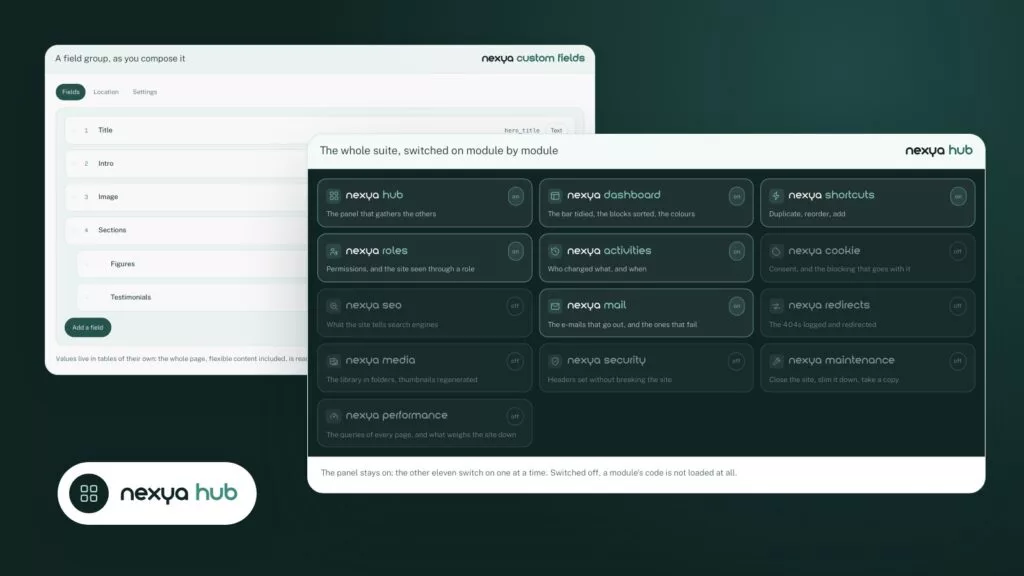
  3. Choose the options Side cart, linked products, custom fields, reminders: each one switches on in one click.

nexya Checkout is in the Pro version, with a seven-day free trial.

FAQ

Everything about nexya Checkout

Switch on the Checkout module in the nexya hub: the checkout page turns into steps, without the theme’s menu or footer. Logo, colours and texts are then set in an editor with a computer and phone preview.

Yes: WooCommerce’s hooks are kept, so Stripe, TWINT, PayPal, bank transfer and other payment plugins work as before, express checkout included.

In the module’s settings, switch on the side cart: it opens when a product is added, from a floating button, the [nexya_cart] shortcode in the menu or the Elementor Cart widget.

No extra plugin to pay for every year: the step-by-step page, side cart, linked products, one-click offer and abandoned cart reminders are in nexya Pro.

Yes: free fields or fields taken from an ACF or NCF product field, shown only when a product in the cart needs them. The answers are kept on the order and appear in the e-mails.

Less to type and fewer mistakes: the town fills in from the postcode, a typo in the e-mail is flagged, the country and phone code are picked in a small window with a search, and optional fields stay folded away. On a phone, the summary opens as an accordion and the Pay button stays at the bottom of the screen. What was typed is kept if the page reloads.

At the right moment, without being pushy: WooCommerce’s linked products in a Suggestions step, a one-click offer just above the order button, with a discount if you want one, and a “only CHF 18 more for free delivery” bar in the side cart. Promo codes go out as links, and an e-mail brings back abandoned carts in the customer’s language.

Yes: the order funnel shows in Aris, step by step, from opening the cart to payment, with no personal data. You see where customers stop, and abandoned carts with an e-mail address get a reminder automatically.

No: signed in, with an order already paid and a complete address, they land straight on the payment step. Their contact, address and delivery are shown at the top, each with a Change link, and the side cart offers to go there in one click.

The suite

Other modules