← Back to modules

nexya seo The WordPress SEO plugin, without the noise

What the WordPress site tells search engines about itself — and what it displays when you paste its address somewhere. Written once, applied everywhere, verifiable before publishing

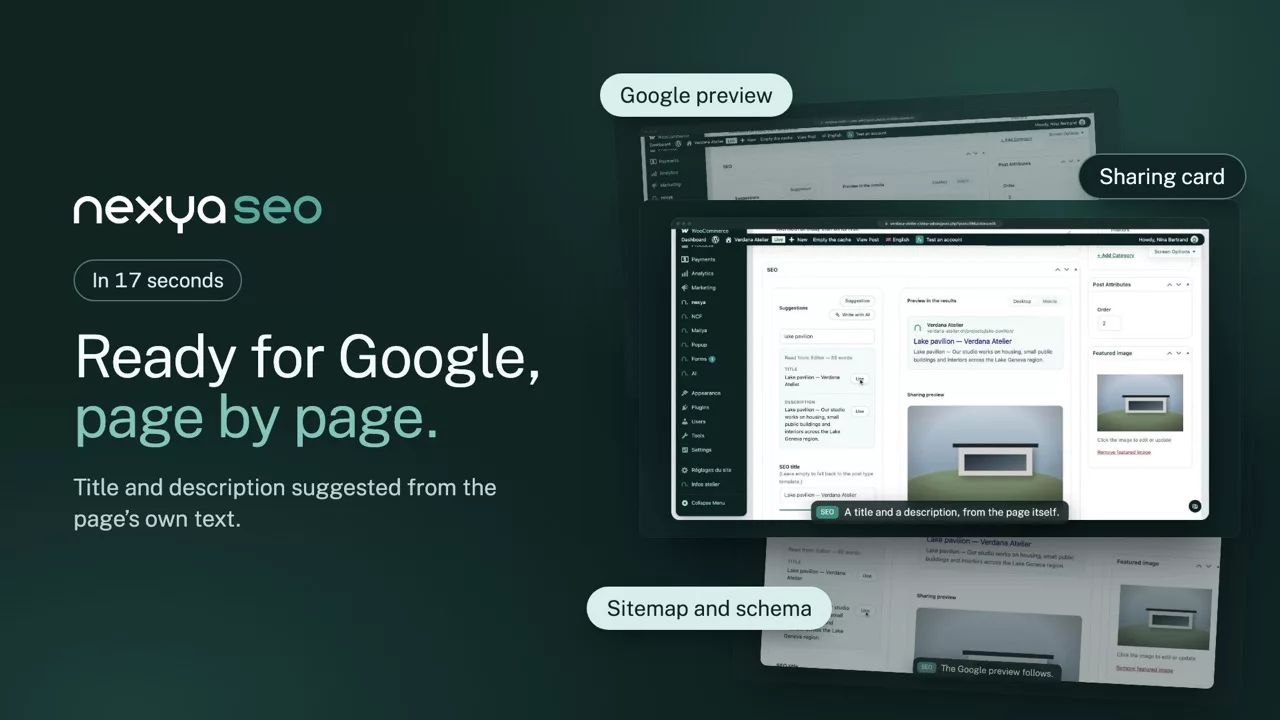
  • The result before hitting publish The page as it will appear in Google, in desktop and mobile versions, with the character count that actually fits. Fix a title that is too long before it gets cut off, not three weeks later
  • Templates that read naturally Under each field, the template is written clearly: Title · Separator · Site name. Variables are added with a single click at the cursor position, instead of being copied by hand from documentation
  • The markup Google expects, without duplicates A single block of structured data, where the organization, the site, the page, the breadcrumb trail and the image all connect. This is what generates the path displayed under the link in the results
  • Exporting from Yoast takes just one button Site settings, templates by content type and taxonomy, social profiles, and page-by-page titles and descriptions. Variables keep the same syntax; the rare ones that have no equivalent are converted or removed.
  • Search engines notified instantly With IndexNow, Bing and other participating engines learn as soon as a page is published, modified, or removed.
nexya seo on video: The WordPress SEO plugin, without the noise 0:17

What it can do

WordPress SEO written once, applied everywhere

Titles, meta descriptions, structured data and sitemap: what Google reads on every page, set through templates and checkable before publishing, without a dashboard full of red dots.

Google preview

The page as it will appear in the results

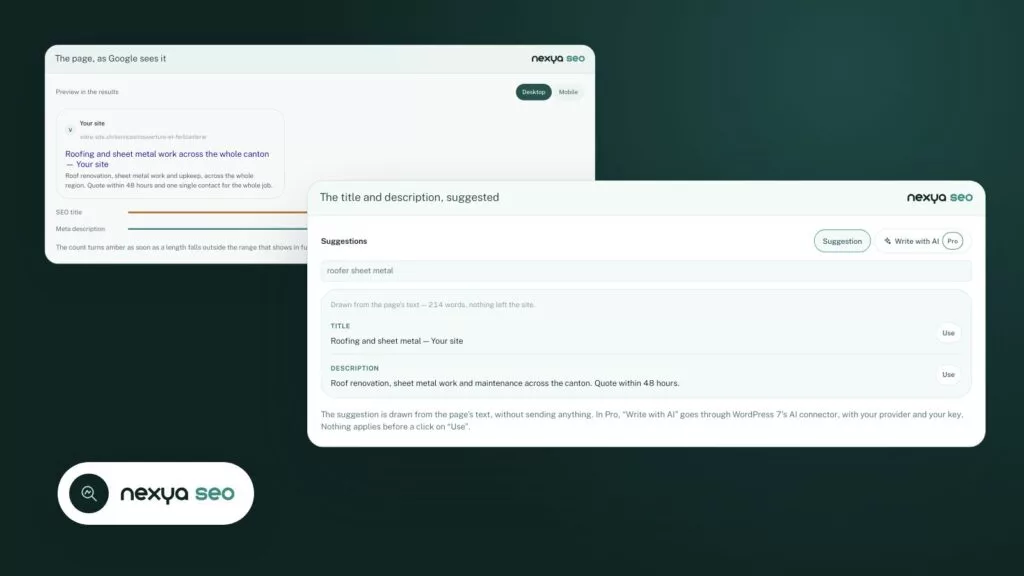
Below the editor, the title and description show as they will in Google, on desktop and mobile, with a count of what really fits. A title that is too long gets fixed before it is cut off, not three weeks later.

  • Focus keyword tracked in the title, the URL and the text
  • Sharing preview for Facebook, LinkedIn and X
  • A page kept out of Google with one checkbox
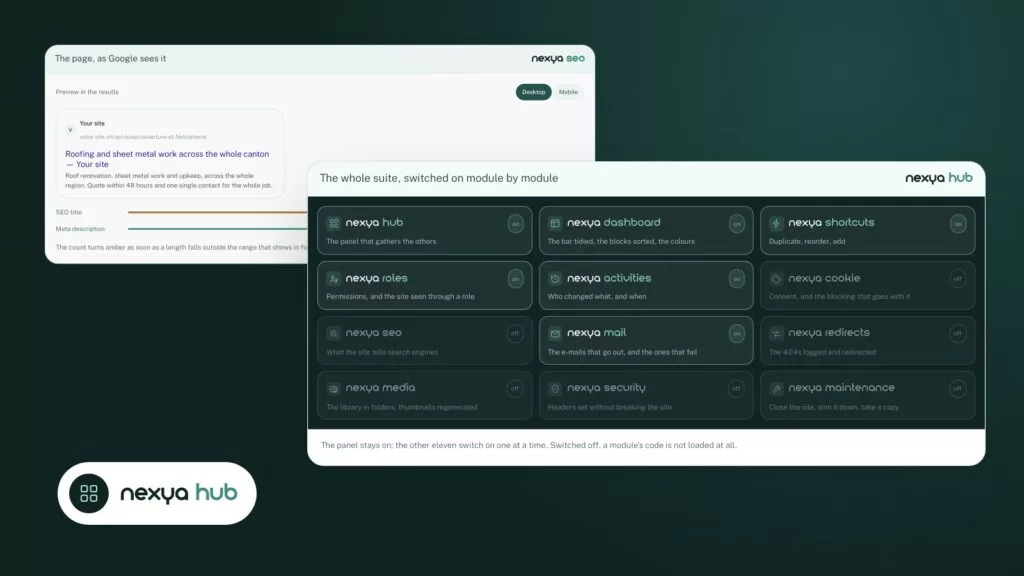
The page, as Google sees it nexya seo
Preview in the results
Your site votre-site.ch/services/couverture-et-ferblanterie Roofing and sheet metal work across the whole canton — Your site Roof renovation, sheet metal work and upkeep, across the whole region. Quote within 48 hours and one single contact for the whole job.
  • SEO title 68 / 60
  • Meta description 132 / 155

The count turns amber as soon as a length falls outside the range that shows in full. You fix a title that is too long before it gets cut, not three weeks later.
Templates

Titles set once for the whole site

Each post type and taxonomy has its own template, written in plain words: Title · Separator · Site name. Variables are added in one click, and a page without a hand-written title still gets a good one.

  • Yoast import in one button, templates included
  • Structured data without duplicates: site, page, breadcrumb
  • XML sitemap by type, with images
The template, read back in plain words nexya seo
Title template %%title%% %%sep%% %%sitename%%

Add

Gives Title Separator Site name

Variables are added with one click where the cursor sits, and the line below reads the template back in plain words as you write it.

With AI

Titles and descriptions suggested, for you to approve

A button suggests a title and description drawn from the page content, at the right length. For a whole site, a batch fills in what is missing in the background; you read, untick what is off, then apply.

  • Through WordPress’s AI connector, no key held by us
  • In the language of each translated version
  • Nothing is replaced without your approval
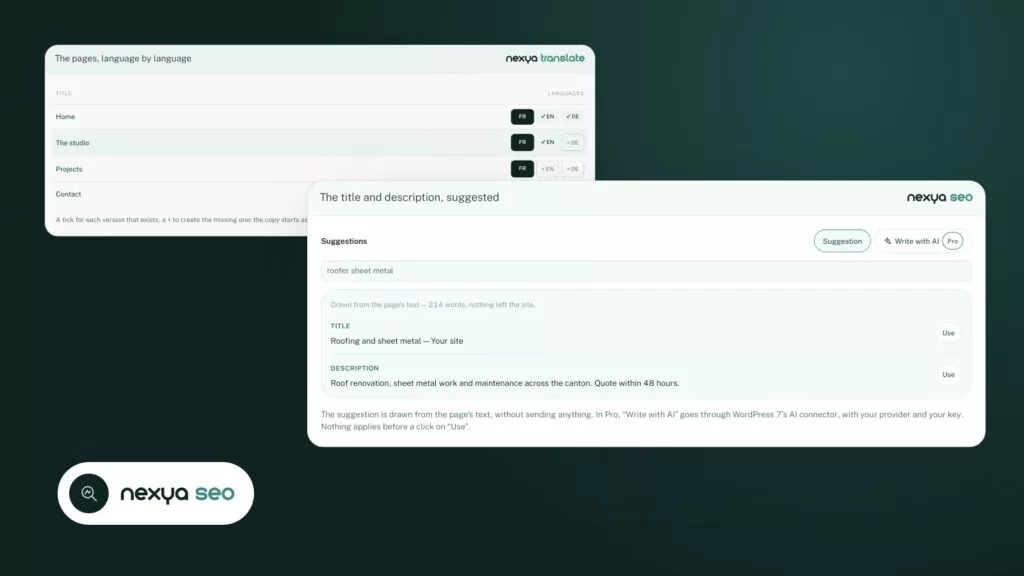
The title and description, suggested nexya seo
Suggestions
roofer sheet metal

Drawn from the page’s text — 214 words, nothing left the site.

Title Roofing and sheet metal — Your site
Description Roof renovation, sheet metal work and maintenance across the canton. Quote within 48 hours.

The suggestion is drawn from the page’s text, without sending anything. In Pro, “Write with AI” goes through WordPress 7’s AI connector, with your provider and your key. Nothing applies before a click on “Use”.

From Yoast

Leave Yoast SEO without losing anything

One button brings over site settings, templates per post type and taxonomy, social profiles, and the titles and descriptions written page by page. Variables keep the same syntax, and the rare ones without an equivalent are converted or removed.

  • Share titles and images carried over too
  • Pages kept out of Google stay out
  • Yoast can be deactivated right after
Leaving Yoast, in one button nexya seo
  • Site settingsName, separator, organisation
  • TemplatesPer post type and taxonomy
  • Titles and descriptions386 pages, written one by one
  • Social profilesFacebook, LinkedIn, Instagram

Variables keep the same syntax; the rare ones without an equivalent are converted or removed.

And everything else, already included

  • IndexNow Bing and participating engines learn straight away that a page has changed.
  • Google Analytics Added with advanced Consent Mode, with no extra plugin.
  • llms.txt A summary of the site for AI assistants, next to the sitemap.
  • Multilingual site With nexya translate, each language has its own titles and sitemap.
  • Share image One image per page, and with Pro a default image for the whole site.
  • URL changed, link kept With Pro, a renamed page creates its own 301 redirect.

Nothing is stored, so nothing can become outdated

SEO plugins save what they calculate: a sitemap in a file, a title in a table, an index to rebuild. Then the site changes, and you have to remember to regenerate. nexya seo does the opposite—titles, descriptions, canonicals, sitemap, and llms.txt are calculated the moment the page is requested, based on the published content. There is no file to regenerate, so no outdated file.

What it places on each page

A title tag and a meta description, drawn from the page itself or its content type template. A canonical URL that knows how to count the pages of a paginated archive. A robots directive that follows the page and site settings. Open Graph tags and X cards, with the featured image or the first image of the page—and, with the Pro version, the one chosen for sharing. And a structured data block that describes the publisher, the site, the page, and its breadcrumb trail.

It steps aside for another plugin

As long as Yoast, Rank Math, or another SEO plugin is running, the module writes nothing at all. Two plugins placing titles, canonicals, and schema at the same time produce duplicate tags—which is worse than no SEO at all. It says so, it waits, and it takes over as soon as the other one is deactivated.

What it does not do

It does not analyze text readability and does not put green lights on keywords. This type of score measures compliance with a recipe, not the quality of a page—and encourages writing for the tool. It suggests a title and description drawn from the page, shows what Google will display, then stops there and lets you write.

Free

Titles, descriptions, structured data, sitemap and Yoast import, IndexNow, Google Analytics in advanced consent mode, Google and social preview

Pro

Social sharing by page and by type, default sharing image, automatic redirection

On the blog

Our guides: WordPress SEO plugin

Guides · 5 min read

SEO title not saving on WordPress: 5 causes and how to fix them

An SEO title that does not save rarely comes from the field itself: a second extension, a blocked script, another language version, or a cache is almost always the cause. This guide shows you where to look, in what order, and how to fix the issue for good, including on a multilingual site with nexya Translate.

  • An SEO title that does not save is rarely lost: compare the field, the page source code, and the result in Google.
  • Keep a single extension for titles and descriptions. A turned-off nexya module executes no code.
  • After an update that breaks the SEO screen, the Maintenance module restores the previous version of the extension in one click.

Read the post

Behind the scenes · 5 min read

WordPress file integrity, IndexNow, restricted pages: what nexya 1.2.34 brings

nexya 1.2.34 checks the integrity of WordPress core files daily and emails you as soon as a file is modified, missing, or out of place. It also answers several frequently asked questions on the forums: a hacked site, search engines notified too late, a multilingual homepage that no longer bypassed the cache.

  • Every day, the Security module compares WordPress core files to the originals from wordpress.org and sends an email in case of a discrepancy.
  • nexya reports modified, missing, or foreign files, but does not clean up malware.
  • IndexNow notifies Bing, Yandex, and other participating engines. Google is not part of it, and nothing can force its indexing.

Read the post

AI · 1 min read

AI WordPress SEO: Suggested titles, meta descriptions, and share images

The nexya SEO module uses AI to suggest titles, meta descriptions, alt texts, internal links, and share images for your WordPress site. You validate each suggestion.

  • Title and meta description suggested based on the text and main keyword.
  • Descriptions and alt texts prepared in batches, then reviewed before saving.
  • Internal links, correction, and share image, always by suggestion.

Read the post

Get started

nexya seo in three steps

  1. Switch on nexya seo In the nexya hub. If Yoast was installed, the Import tab takes everything over in one button.
  2. Set the templates Title · Separator · Site name: templates read in plain words, per content type.
  3. Review page by page The suggestion starts from the page’s text, and the preview shows what Google will display.

nexya seo is in the free extension, on as many sites as you want.

FAQ

Everything about nexya seo

Under the editor, the nexya seo box suggests a title and description drawn from the page’s text, with the preview as it will appear in Google, on desktop and mobile. You fix it before publishing.

Yes, for the most part. The Import tab retrieves settings, templates, social profiles, and page-by-page titles and descriptions. The variable syntax is the same; the rare ones without an equivalent are converted or removed.

The essentials are there — titles, descriptions, sitemap, structured data, llms.txt — with no ads in the admin and no score to turn green. There is no automatic import from Rank Math yet.

Yes: an XML sitemap, and a single block of structured data where the organisation, site, page and breadcrumb refer to each other, with no duplicates.

With Pro, a “Write with AI” button writes the title and description, through WordPress 7’s AI connector and your own provider. Nothing is saved without your click.

Yes, if you turn it on: a summary of the site for AI assistants, next to the sitemap.

The sitemap updates itself, and IndexNow tells Bing and participating engines as soon as you publish.

Yes, with nexya translate: each language has its own titles, descriptions, sitemap and hreflang tags.

The suite

Other modules