
nexya translate
The site in several languages: every content with its versions, an address per language, and the site’s texts translated in one place.
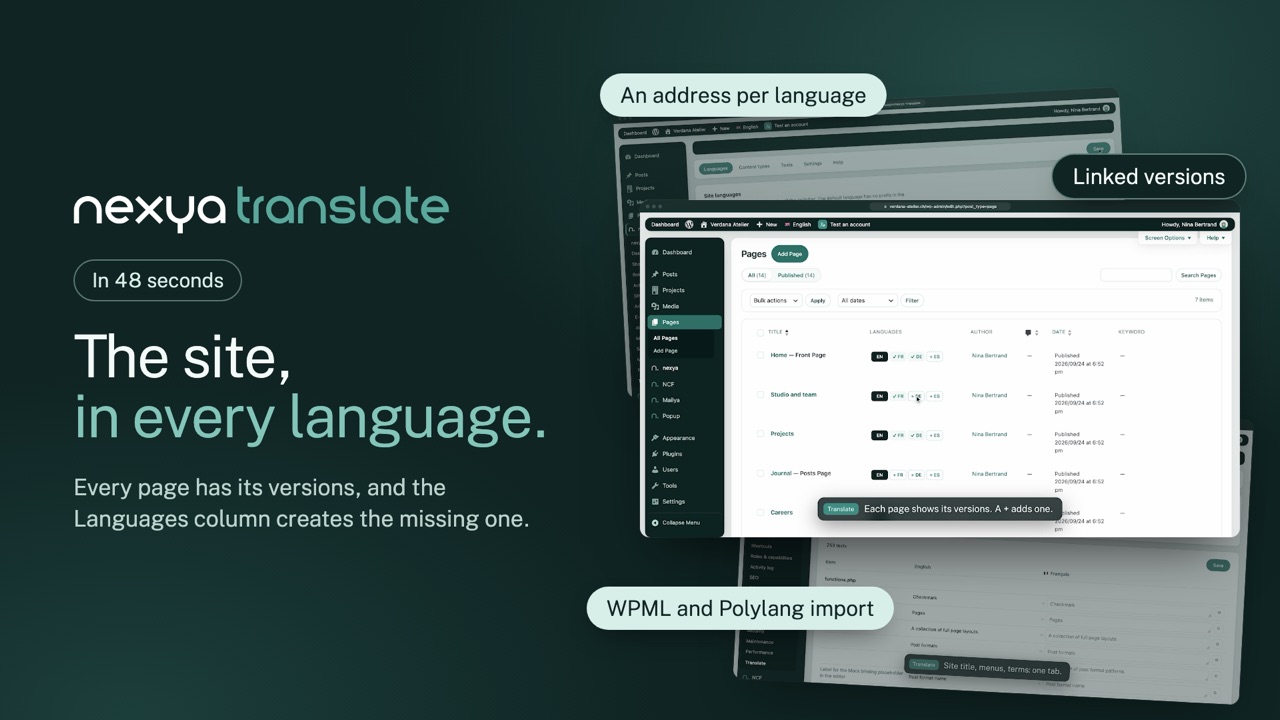
- Every content, its versions A box in the editor sets the content’s language and opens or creates each version. In the lists, a tick for what exists, a + for what is missing.
- An address per language The default language stays at the root, the others go under /en/, /de/… Hreflang tags, sitemaps and the language switcher follow, in a menu, a block or Elementor.
- Coming from WPML or Polylang Languages, versions, terms, menus and translated texts are imported. Nothing is deleted before the clean-up, which you run once everything is checked.
 0:48
0:48
Free
Languages and order, linked versions, Languages column, addresses per language, hreflang, switcher, menus per language, site texts, WPML and Polylang import
Get started
nexya translate in three steps
- Switch on nexya translate In the nexya hub: the Translate menu appears, for administrators.
- Add your languages Pick them from the list, put them in the switcher’s order and choose the default language.
- Create the versions From the editor or the Languages column: each version starts as a draft, linked to the original.
nexya translate is in the free extension, on as many sites as you want.
FAQ
Everything about nexya translate
Switch on nexya translate, add your languages, then create each content’s version from the editor or from the Languages column of the lists. Addresses, hreflang tags and the switcher follow.
The “From Polylang” tab shows what will come over, then switches Polylang off and imports in one click: languages, versions, terms, menus per language and the site title. Addresses do not change, and switching Polylang back on restores the site as long as the clean-up has not been run.
The “From WPML” tab takes over the languages, versions, terms, menu labels, String Translation strings and Gravity Forms texts. WooCommerce Multilingual’s per-currency prices are not carried over.
Add the language’s link to a menu, the [nexya_lang_switcher] shortcode to a block, a widget or Elementor, or the nexya_lang_list() function to the theme. Code, name, flag: the display is set in the Settings tab.
Yes: the Texts tab gathers the title and tagline, terms, menus, Gravity Forms forms, theme strings and options pages, filtered by what is left to translate.