
← Back to the modules

nexya dashboard

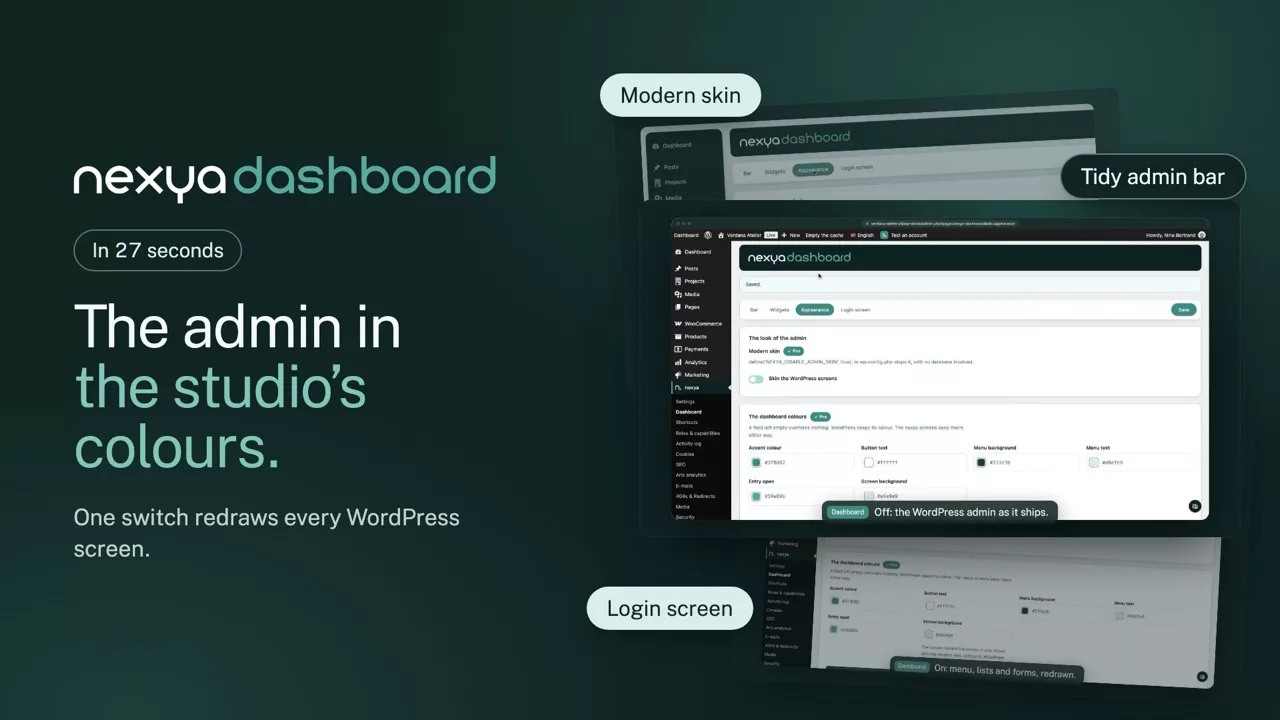
The back office as the client sees it: menus cut down to what is useful, a tidy admin bar, and the dashboard in your own colours right through to the login page

  • What is not used disappears Posts, Comments, Tags, Patterns: what the site does not use does not show. The client stops wondering what half the menus are for
  • A cleaned-up admin bar No Comments, no Customise, no command palette. Instead: the theme name, a Dev / Demo / Live marker, and a button to hide the bar
  • It hides itself on mobile Below 782 pixels the bar disappears on load, without clicking every visit. The link to bring it back stays available
  • In the agency’s colours The colours of the dashboard and the login page, the logo, the menu icons. The client logs in at home, not at WordPress
The dashboard, before and after nexya dashboard
Your site Dashboard Comments Customise Command palette Howdy, Marie
  • Dashboard
  • Posts
  • Media
  • Pages
  • Comments
  • Appearance
  • Plugins
  • Accounts
  • Tools
  • Settings
Welcome to WordPress! Customise your site, add a page, see what is new.
WordPress Events and News A meetup 42 km away, a WordCamp, the project’s blog.
Quick Draft A title, some content, and one more draft in the list.
Site Health Status Two recommendations, a score, and one more screen to go through.
At a Glance 12 pages, 34 news items, 210 media files.
Activity Recently published content, and what is scheduled.
Dashboard colours

The bar and the column lift off the edges, on a soft background: this is WordPress’s furniture, dressed everywhere. The colours are set above, and the mock-up repaints as you type.

The login screen, before and after nexya dashboard

Pro Tidying the menu, the toolbar and the blocks is free. The branding is what a licence opens.

What a client sees in a fresh WordPress

Twenty-odd menu entries, half of which they will never use, dashboard widgets dropped in by plugins, a login page with the WordPress logo, and editing panels they will not open. None of it is broken — it is simply noise, and noise makes people hesitate.

What the module removes, and what it adds

It removes menus, secondary panels and other plugins’ dashboard widgets; any newly detected widget is hidden by default, and shown again with one click. It adds an environment marker in the bar — Dev, Demo or Live — which stops you editing the wrong site, and the agency’s colours on the dashboard and the login screen.

It does not replace permissions

Hiding an entry for everyone and hiding it for one role are two different things. This module decides what the site offers; the Roles module decides what each person can reach. They complete each other, neither makes up for the other.

Free

Trimmed menus, tidied toolbar, secondary blocks collapsed

Pro

Dashboard colours, login logo, menu icons

The suite

The other modules