← Back to modules

nexya hub All your WordPress plugins in a single panel

The dashboard that brings together all nexya extensions. One module you turn on, one module you turn off — and nothing runs on the WordPress site while it's off

  • One screen, one vocabulary All modules are configured in the same place, using the same words. Your client doesn't have to learn a different interface for each extension: they learn just one, and it was written for them
  • Off means off A disabled module is not put on standby: its code does not run. No request, no script, no line in the header. The site only pays for what it uses
  • One license, one date, one invoice A single renewal to track instead of one per extension, and modules tested together before release — not updates arriving separately on their own
  • You can see at a glance what is running Each module displays its status and what it does in a single line. Revisiting a site six months later doesn't require opening a settings page for every extension to understand it
  • Your colors in all modules Five brand colors, taken from the one-click theme, used again in popups, the cookie banner, and the maintenance page — and, with Pro, in forms, Mailya, and the login screen.
nexya hub on video: All your WordPress plugins in a single panel 0:16

What it can do

All your WordPress plugins in a single panel

Around twenty modules replacing as many separate plugins, set in one place with the same words. Turn on what the site needs; what is off does not start.

The modules

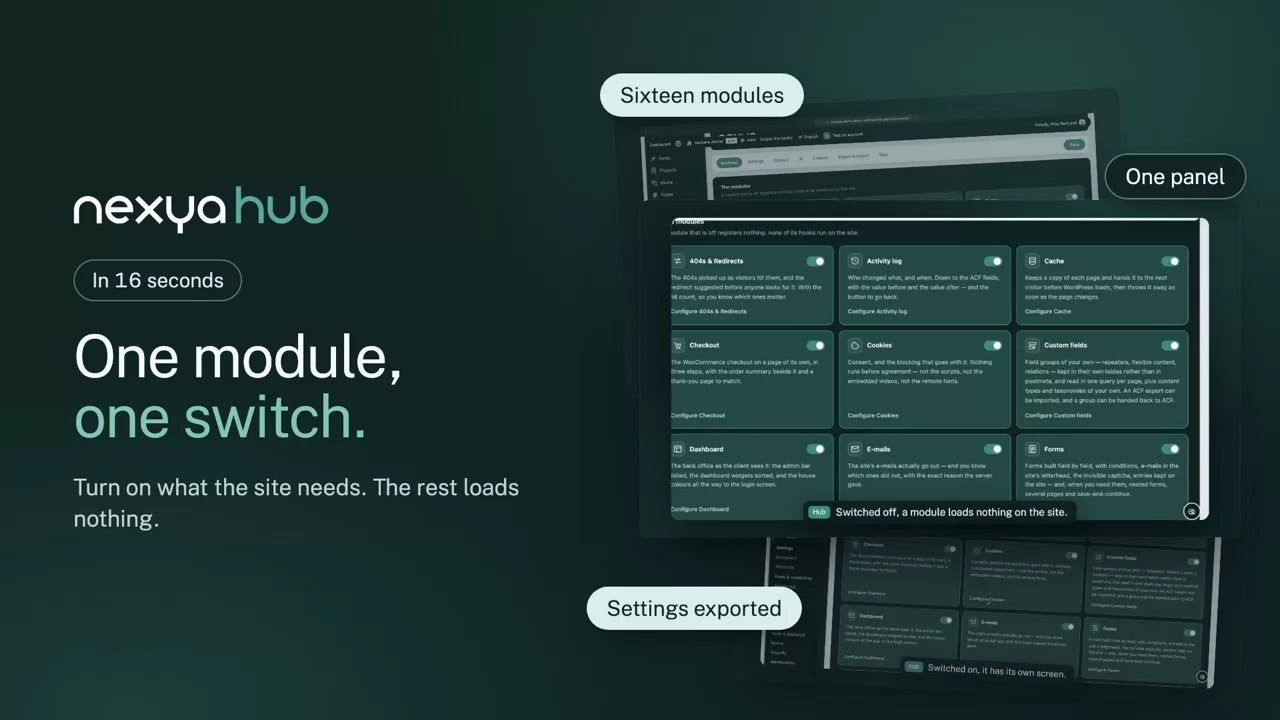
One switch per module, and nothing running for nothing

Each card says in one line what the module does and whether it is on. Switched off, a module loads no code, no query, no script: the site only pays for what it uses. On a new install, one question about the type of site turns on the right modules.

  • Showcase, shop or blog: the modules that fit
  • Modules that complete another one are flagged
  • One licence and one renewal date for everything
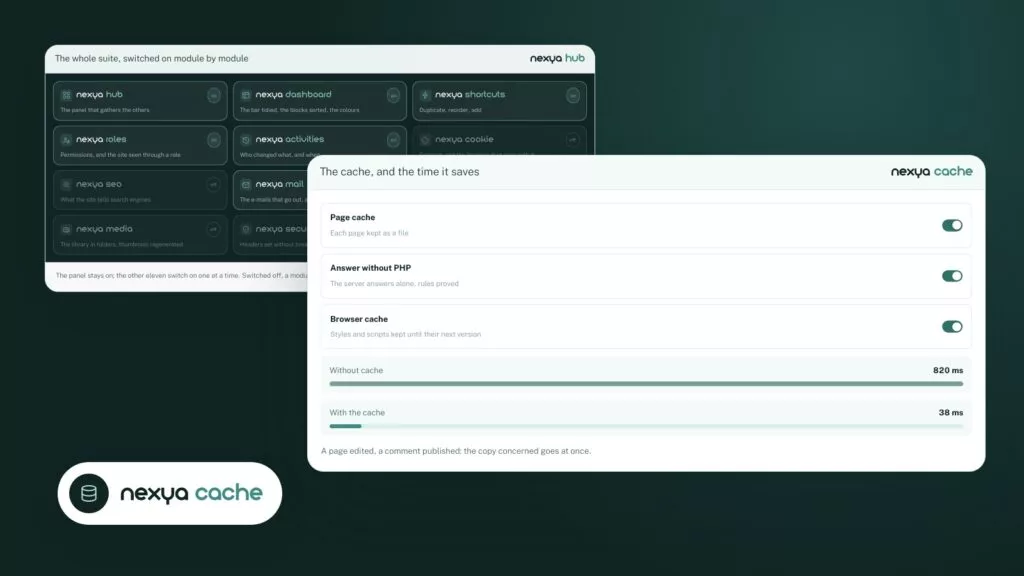
The whole suite, switched on module by module nexya hub

The panel stays on; the other eleven switch on one at a time. Switched off, a module’s code is not loaded at all.
Settings

One vocabulary, written for your client

Every module is set with the same screens, the same buttons and plain sentences. Picking up a site six months later no longer means opening one settings page per plugin to understand what is running.

  • Five brand colours used by every module
  • Settings exported and imported from one site to another
  • Interface in French, English, German, Spanish and Italian
The settings panel nexya hub

Brand colours

Five colours set once for every module

Brand colours are taken from the theme in one click. Popups, the cookie banner and the holding page pick them up straight away, and with Pro so do forms, Mailya and the login screen: the site keeps one look without setting each module separately.

  • Taken from the theme in one click
  • Editable by hand, colour by colour
  • With Pro, down to forms and Mailya
Brand colours, everywhere nexya hub
Colour Used by
Primary #3f8d82 Popups Cookies
Text #0f2423 Banner
Background #f3faf8 Holding page
Accent #59a89b Forms

Taken from the theme in one click, used by popups, the cookie banner and the holding page.

And everything else, already included

  • Free version on WordPress.org The hub and the free modules install like any plugin.
  • Tested together Modules ship together, not each on its own schedule.
  • What’s new in the admin Each update says what changes, in plain words.
  • Quiet notices Only when an action is useful, and never advertising.
  • Clean uninstall Tables and settings go, if you ask for it.
  • One Pro, every module The Pro licence opens the whole suite, on your sites.

What “off” means here

Many modular plugins load everything, then check a setting before acting. The code is there, it executes, it queries the database — it simply doesn’t do anything visible. Here, the module states are read very early, and only the turned-on modules start up. A turned-off module doesn’t cost a single request, a single filter, or a single byte on the page.

The panel is designed to be shown

It’s the page your client will see, not just you. The settings are organized by what they change, written without jargon, and admin-only modules are not displayed to an editor. They therefore never get the chance to disable something they don’t understand.

What it doesn’t do

It adds nothing to the public site: no banner, no footer credit, no script. What your visitors see does not change by a single iota because the suite is installed.

Free

The whole module, always

On the blog

Our guides: manage WordPress plugins

Guides · 5 min read

Hacked WordPress site: steps to clean it and prevent reinfection

Your WordPress site has been hacked: this guide gives you the order of operations to clean it up without leaving a backdoor, and then to prevent it from being reinfected. It also details what nexya does to secure the site afterward, and what it does not do, since it does not clean up malware.

  • nexya does not clean up malware: cleanup is done manually, with your host, a specialized tool, or a professional.
  • Close the site and export the database before touching the files; the Maintenance module does both.
  • Replace the core, plugins, and themes with official copies rather than searching for infected files one by one.

Read the post

Guides · 4 min read

Changing the style of a WordPress form: checkbox, width, button and RTL

A WordPress form's style almost always breaks for the same reason: the theme and the form are competing for the same elements. This article shows how to find the offending rule and fix it (checkboxes, width, submit button, right-to-left languages), and what nexya forms already fixes for you.

  • A form inherits the theme's CSS: the browser inspector shows which rule wins and where it comes from.
  • A consent checkbox that is too wide can be fixed with width: auto, scoped to the form container.
  • An ineffective button CSS is either less specific than another rule, not loaded, or hidden by a cache.

Read the post

Guides · 4 min read

Slow WordPress site or cache showing an old page: finding the cause

Your WordPress site is slow, or the cache still shows the old version of a page: these two problems are not solved the same way. This article helps you figure out which one applies to you, what a page cache actually fixes, and what is up to your host.

  • Measure the TTFB of a page and that of a static file before touching the site.
  • If the static file is also slow, the cause lies with the host: no plugin fixes that.
  • The nexya Pro page cache clears itself, including after saving in Elementor, and also clears Cloudflare since version 1.2.31.

Read the post

Get started

nexya hub in three steps

  1. Install nexya Download the plugin from nexya.dev and activate it like any WordPress plugin.
  2. Open the hub The nexya menu lists every module, with what each one does in a line.
  3. Switch on what the site needs A first card asks what kind of site it is — showcase, shop or blog — and switches on the modules that suit it. Then one switch per module: the rest loads nothing, not even a query.

nexya hub is in the free extension, on as many sites as you want.

FAQ

Everything about nexya hub

A WordPress plugin that gathers the everyday jobs — SEO, cookies, e-mails, redirects, security, custom fields, popups… — under a single panel. Each module is switched on or off on its own.

No. A module that is off is not asleep: its code is not loaded. No hook, no script, no query. The site only pays for what it uses.

One interface for the client to learn, one update to follow, and modules tested together before every release. Where Yoast, Complianz, WP Mail SMTP and Redirection each come with their own settings and schedule, nexya keeps them in one place.

Yes. Switch on only the modules that do not overlap with what is installed, and move the rest over whenever you decide.

Not yet. On a multisite network, the plugin stays off and says so rather than half working.

No. The free modules stay free, on as many sites as you like; Pro adds modules and features.

Yes. Settings export to a file and import on another site, handy to start from an agency baseline.

In French, English, German, Spanish and Italian, following each user’s admin language.

The suite

Other modules