Key points
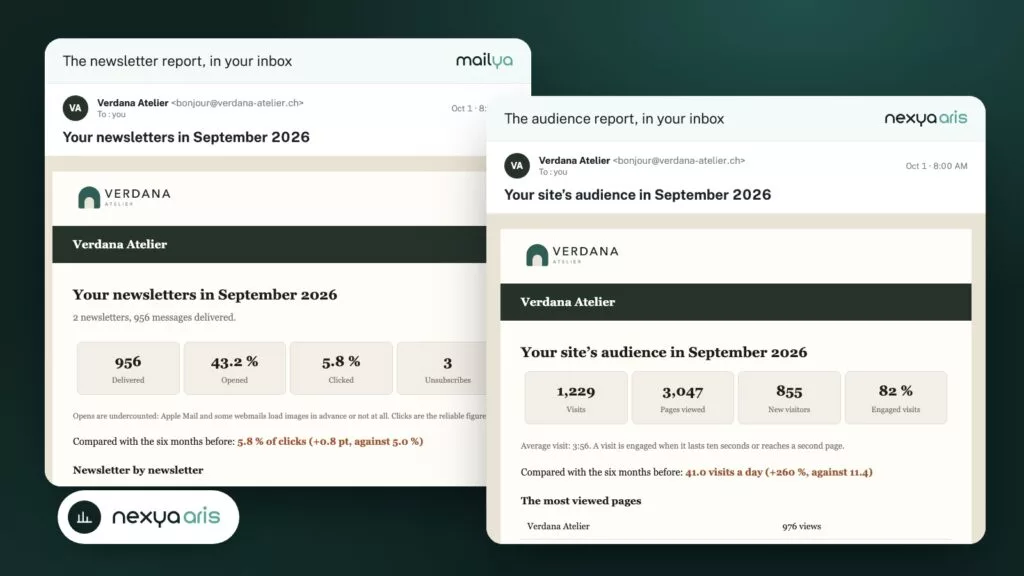
- Every month, an email summarizes site audience (Aris) and newsletter results (Mailya).
- The numbers are compared to the period of your choice, and three recommendations tell you what to change.
- The report goes out in each recipient's language, using your email colors.
One email a month, the essentials in two minutes
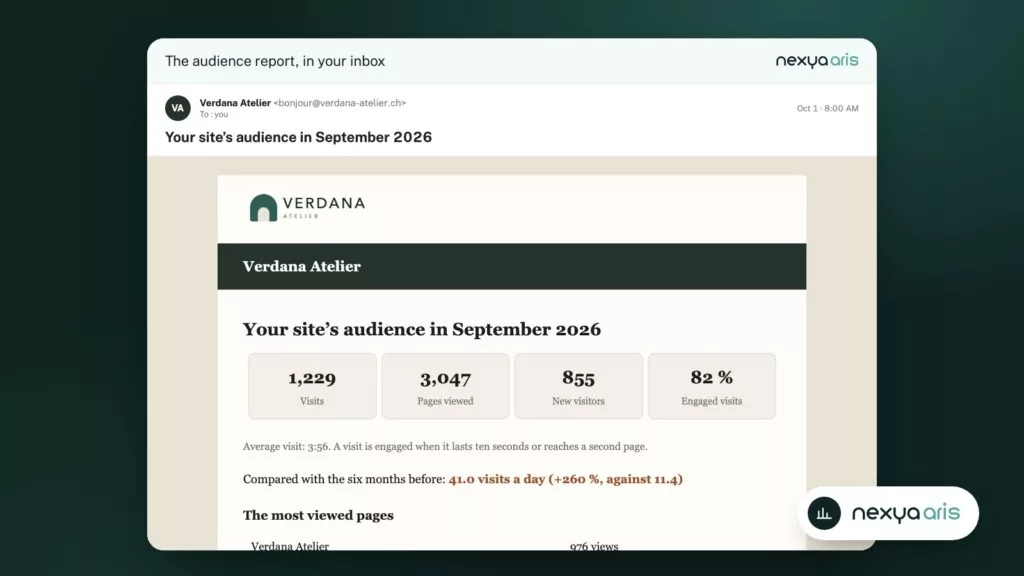
The Aris report summarizes the traffic of the past month:
- visits, page views, and new visitors;
- the most read pages;
- where visitors come from: search engines, social networks, email, referring sites;
- clicks on your important buttons: quote, contact, booking.
Your newsletters, campaign by campaign
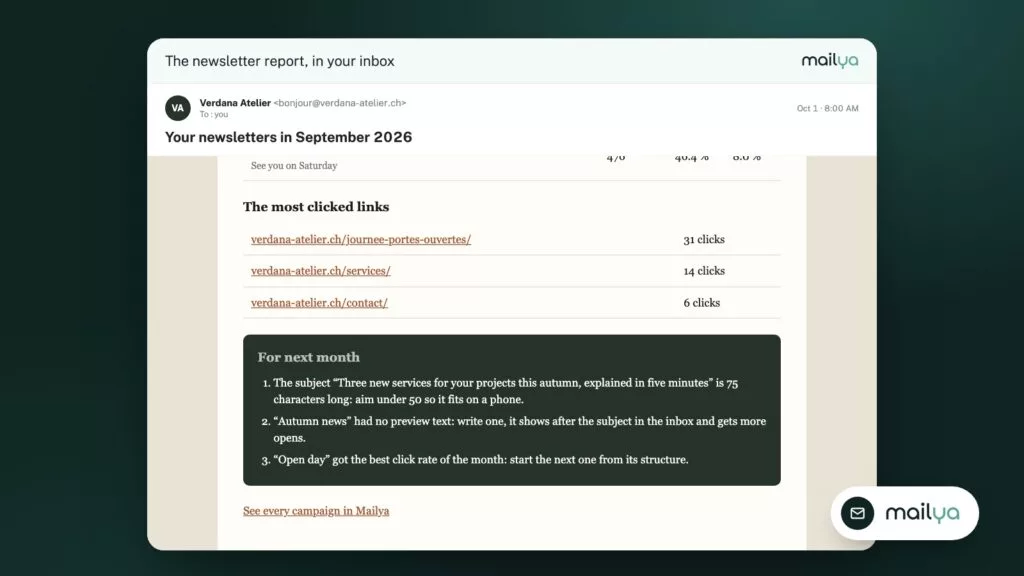
The Mailya report does the same for the month’s newsletters: delivered messages, open and click rates, most clicked links, and details for each campaign. Clicks are highlighted because they truly show what your readers did.
See trends, not just numbers
A single number doesn’t tell you much: are 500 visits good? Each report compares the month to the period you choose—the week, the month, or up to the previous six months—and shows the trend, whether up or down.
A drop spotted after a month can be fixed. Spotted after a year, it has already cost you.
Three recommendations for the following month
The report doesn’t just state the facts. It ends with three concrete actions, for example:
- a newsletter subject line that is too long for a phone;
- a page that is read a lot but left immediately;
- a site that depends on a single traffic channel.
For agencies: a report that clients actually read
Add your client’s address to the recipients. They receive the report in the language of their WordPress account—French, English, German, or Italian—with the logo and colors configured in nexya mail.
Every month, they see that their site is working, without you having to prepare anything.
Activate your monthly report
-
1
Open the Monthly Report tab
In Aris, or in Mailya › Settings for newsletters.
-
2
Choose recipients
One or more addresses, the report language, the day and time of sending.
-
3
Choose what the report shows
The blocks to display, the comparison period, and your colors if needed.
-
4
Check the preview
The preview updates live, in French, English, German, and Italian. Save: the first report goes out next month.
FAQ
Do you need an AI connector?
No. Without AI, recommendations come from fixed rules: subject line length, click rate, share of visits by channel... With a connector, AI writes them based on your actual numbers.
Do the numbers leave the site?
Aris measures audience on your own server, and the report is sent via the sending method configured in nexya mail. If an AI connector is active, the report's numbers are sent to it to write the recommendations; without AI, nothing leaves the site.
Can we choose the day and time of sending?
Yes: a day of the month between the 1st and the 28th, and a time. A button also sends the past month's report immediately, for testing.
Is the report included in the free version?
No, it is part of nexya Pro, which comes with a 7-day free trial.
The modules in this post
Try nexya Pro free for 7 days
Every module, forms, newsletters and the page cache, on your site. No commitment.