Key points
- Weekday and weekend prices, seasons, shortest and longest stay, cleaning fee.
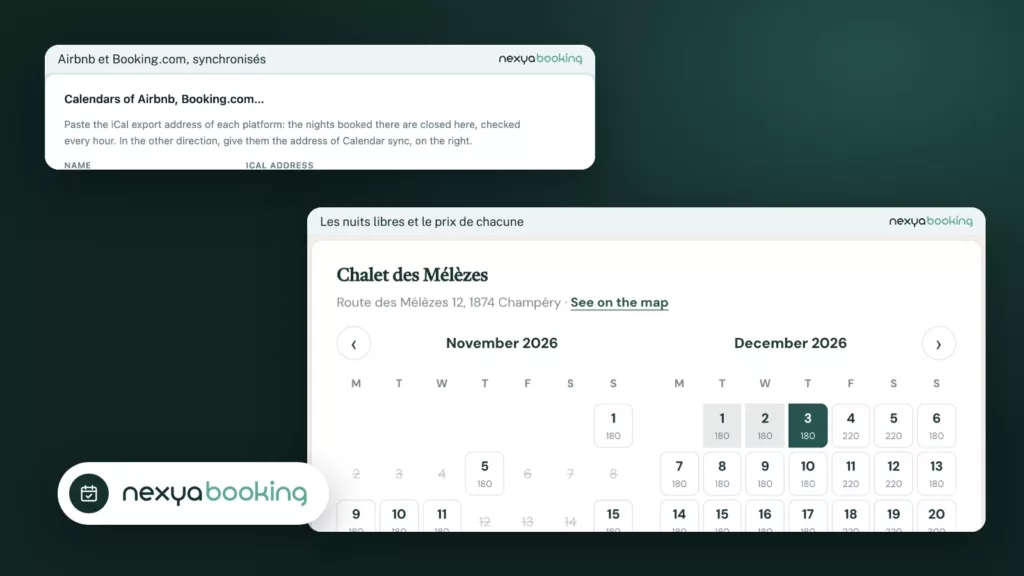
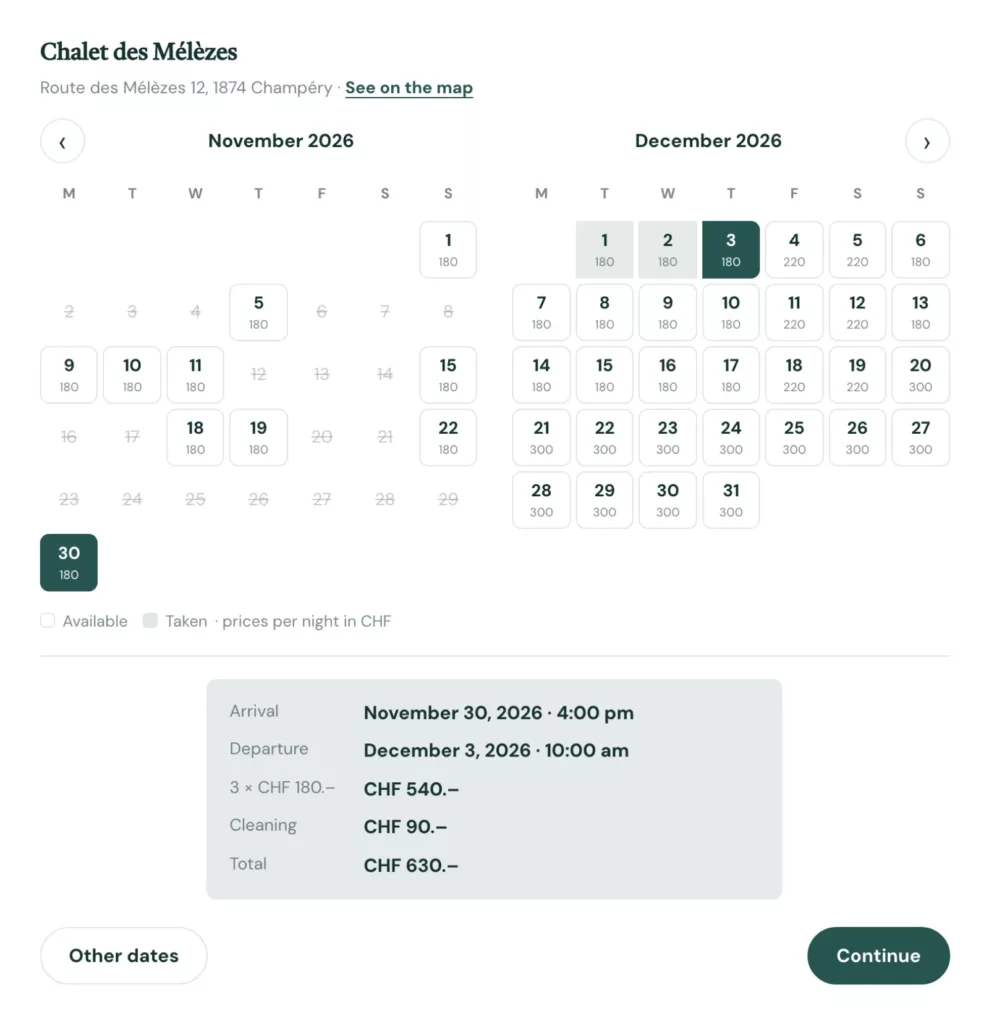
- The visitor sees the price of each night and the total before booking.
- Airbnb and Booking.com calendars are imported in iCal and close the nights taken elsewhere.
- Every direct booking avoids a platform’s commission.
Why direct bookings
Platforms bring travellers, and take a commission on every stay. Guests who come back, or who find you through your site, have no reason to go through them. A booking page on your site lets them book directly, at the price you set.
How nexya Booking does it
A rental goes by the night or by the day. You set the weekday and weekend prices, the seasons, the shortest and longest stay, the cleaning fee and the arrival and departure times. The visitor clicks their arrival day, then their departure day: the calendar shows the price of each night, then the breakdown and the total.
The address and a link to the map go out in every e-mail, with the arrival information.
Open direct bookings with nexya
-
1
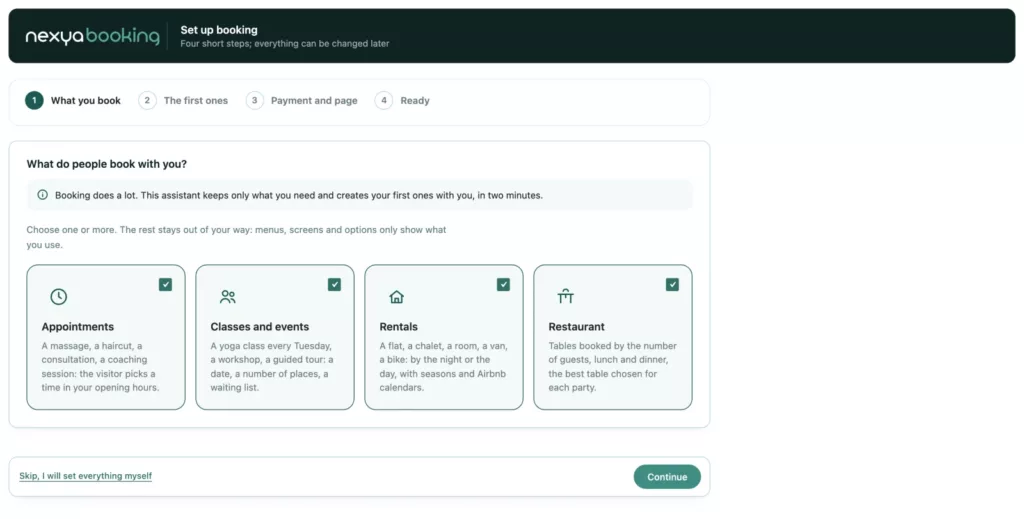
Choose “Rentals”
In the Booking assistant, tick Rentals and create your first place.
-
2
Set prices and rules
Weekday and weekend prices, seasons, shortest stay, cleaning, arrival times.
-
3
Link your calendars
Paste the iCal address from Airbnb or Booking.com, and publish the calendar on your site.
Airbnb, Booking.com and nexya together
You do not have to choose. Paste the iCal address from Airbnb or Booking.com: nights booked there close on your site, checked every hour. The other way round, give them nexya’s sync address.
| nexya Booking | Airbnb / Booking.com | MotoPress Hotel Booking | |
|---|---|---|---|
| Commission per stay | None from nexya | Yes | No |
| Where people book | On your site | On the platform | On your site |
| iCal calendars | Import and export | Yes | Yes |
| Appointments, classes, restaurant | Included | No | No |
Platforms are still useful to get known. nexya takes the direct bookings, with no double booking.
FAQ
Can I rent by the day instead of the night?
Yes: a van, a bike or equipment goes by the day, with a pick-up and a return time.
How do I avoid double bookings with Airbnb?
Import Airbnb’s iCal calendar: nights booked there close on your site, checked every hour.
Can guests pay a deposit?
Yes: a deposit or the full amount through Stripe, PayPal or WooCommerce, and the rest on arrival if you want.
The modules in this post
Try nexya Pro free for 7 days
Every module, forms, newsletters and the page cache, on your site. No commitment.