← Back to modules

nexya Booking Pro

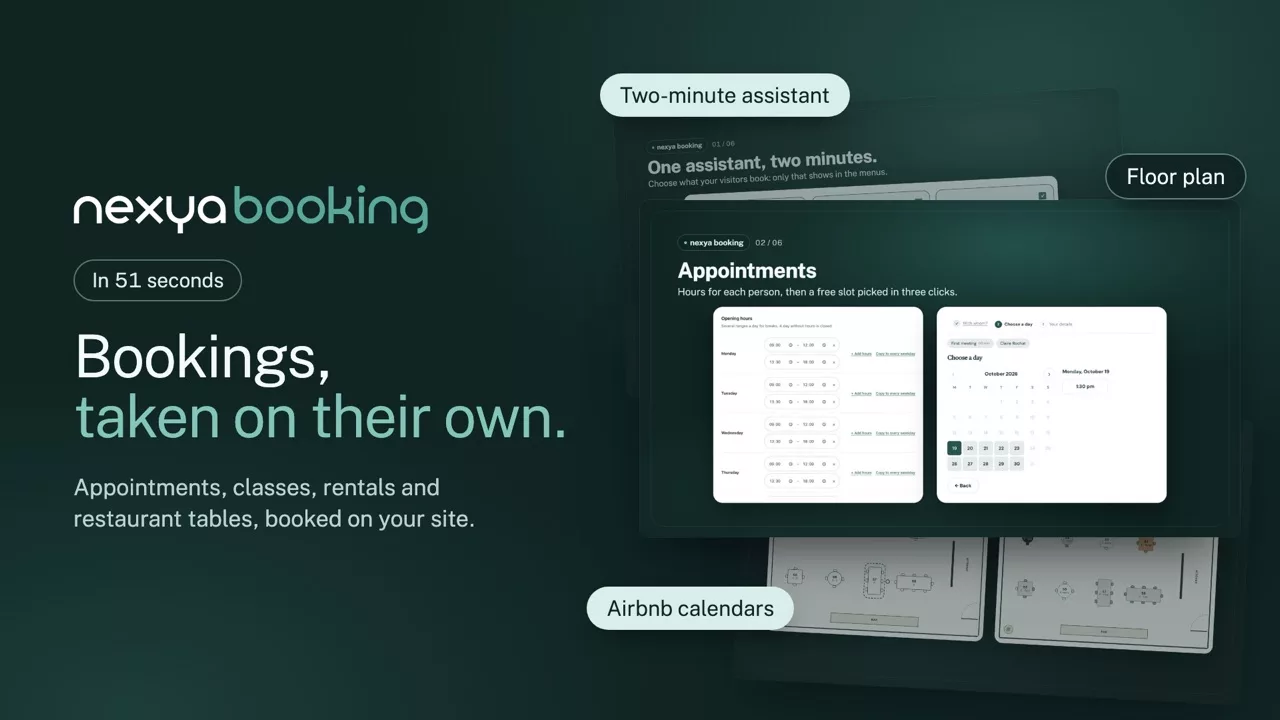
Appointments, classes, rentals and restaurant tables: your visitors book a free slot on their own, on your site.

  • Everything booked in one place An appointment, a place in a class, a stay or a table: four activities in one module, and only the ones you use in the menus.
  • No more back and forth Only the slots that are really free show. The customer gets a confirmation, a calendar file and a link to move or cancel.
  • On your site, no commission No extra platform and no fee per booking: payment goes through Stripe, PayPal or WooCommerce, straight to you.
nexya Booking on video: Appointments, classes, rentals and restaurant tables: your visitors book a free slot on their own, on your site. 0:51

What it can do

Your site’s bookings, taken on their own

Appointments, classes and events, rentals by the night or the day, restaurant tables: your visitors book a free slot themselves, pay if needed and get their confirmation. An assistant sets everything up in two minutes and only shows what you use.

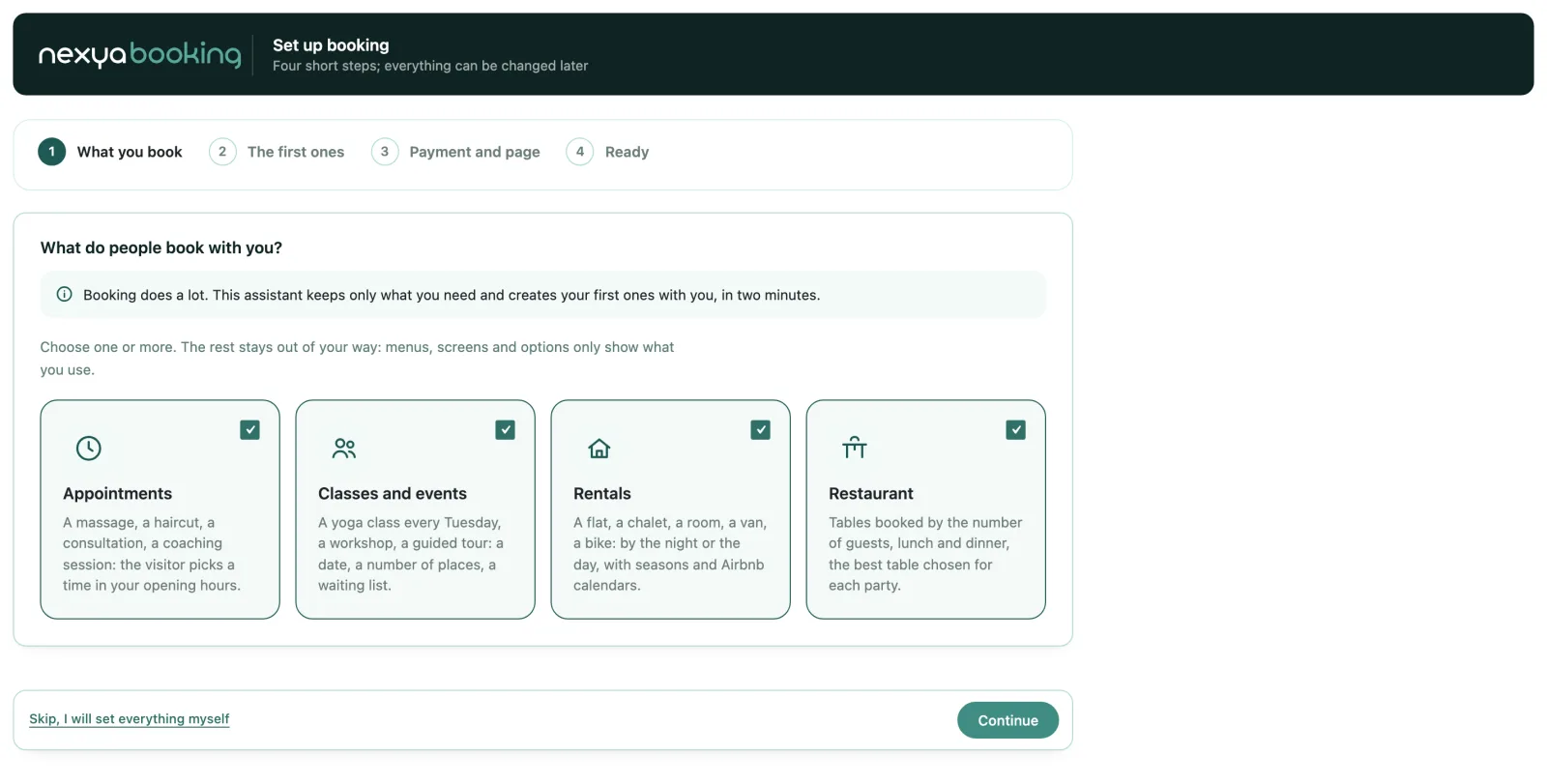
The setup assistant

Two minutes, and only what you need

Choose what your visitors book: an appointment, a place in a class, a stay or a table. The assistant creates the first ones with you, the team and the places, the booking page, and puts the rest out of your way.

  • Four activities, one or several at once
  • The team with its accounts, or just you
  • Everything reopens in the Modules tab
nexya Booking: Two minutes, and only what you need

Appointments

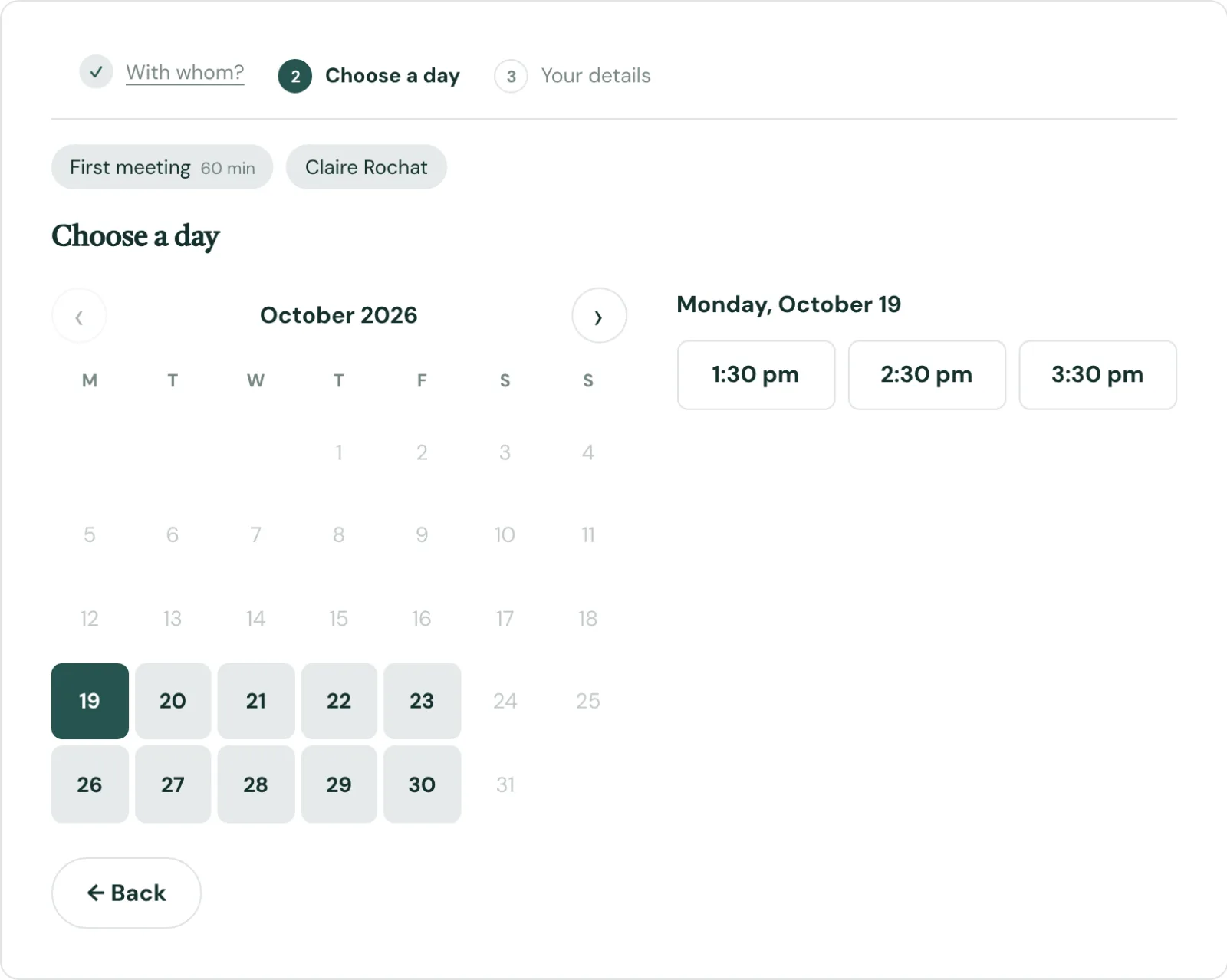
A free slot, picked in three clicks

With whom, which day, what time: only the slots that are really free show, based on everyone’s hours, breaks and days off. The customer gets a confirmation with a calendar file and a link to move or cancel.

  • “Anyone available” as an option
  • Google Calendar both ways
  • Cancellation notice per service
  • Paid online or on site, deposits included
nexya Booking: A free slot, picked in three clicks

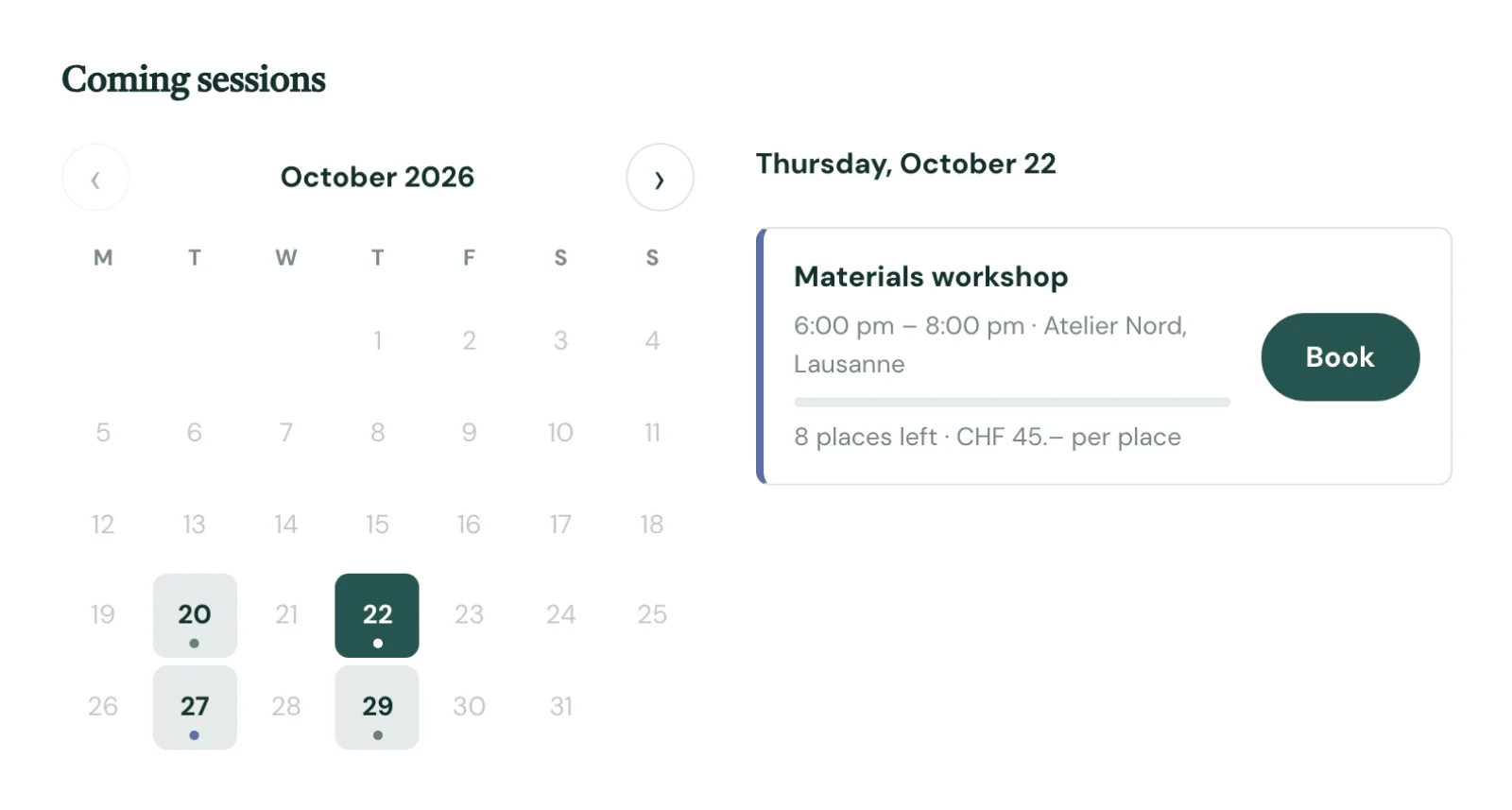
Classes and events

Sessions with their places, and a waiting list

A workshop every Tuesday and Thursday, a tour every other week: the series is created in two clicks. The calendar shows the places left, several places are booked at once, and a full session takes a waiting list that fills itself.

  • Repeats by week or by month, dates left out
  • Price per place, most places per booking
  • The first person waiting is told by e-mail
nexya Booking: Sessions with their places, and a waiting list

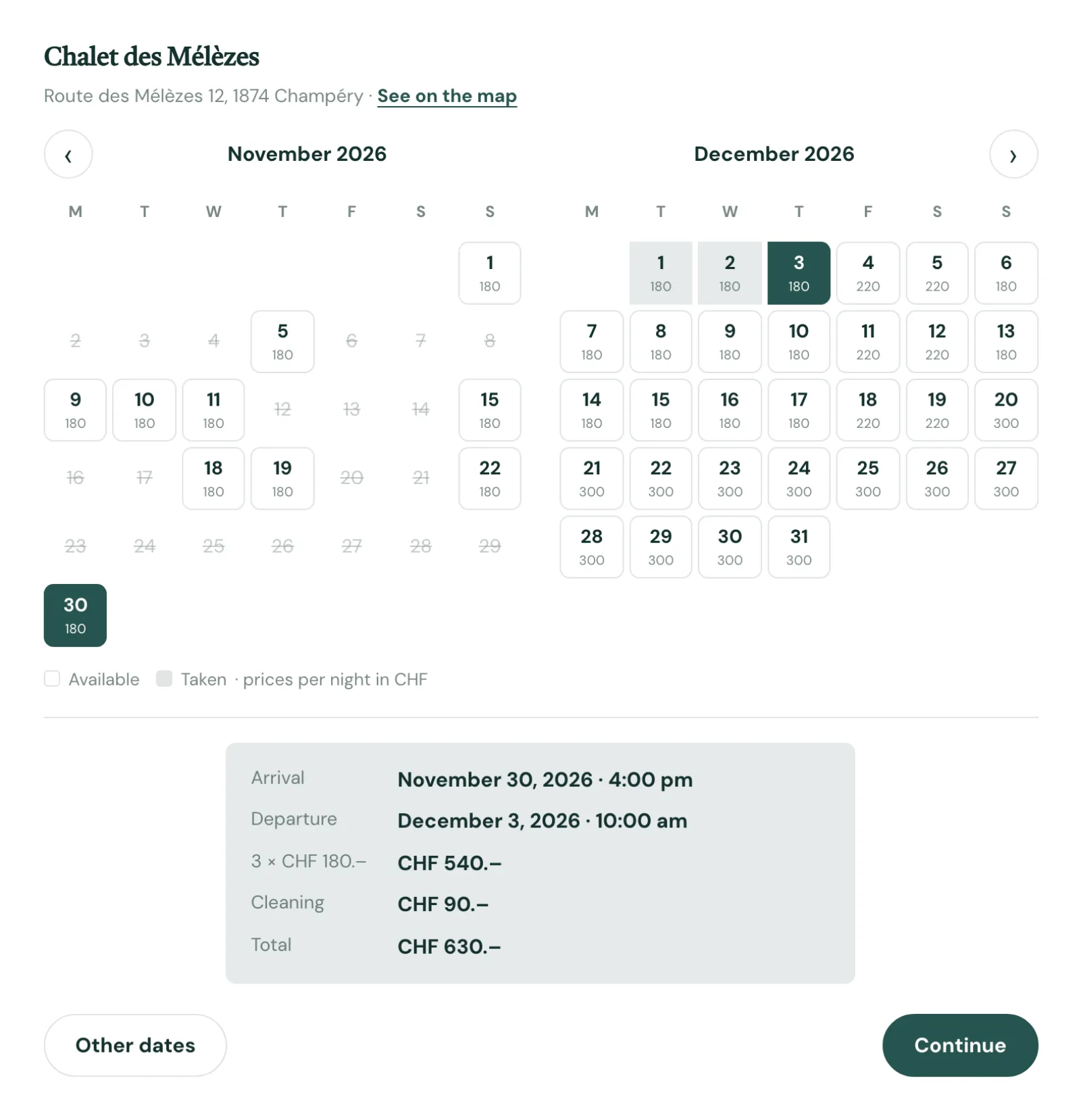
Rentals

By the night or the day, with the total shown

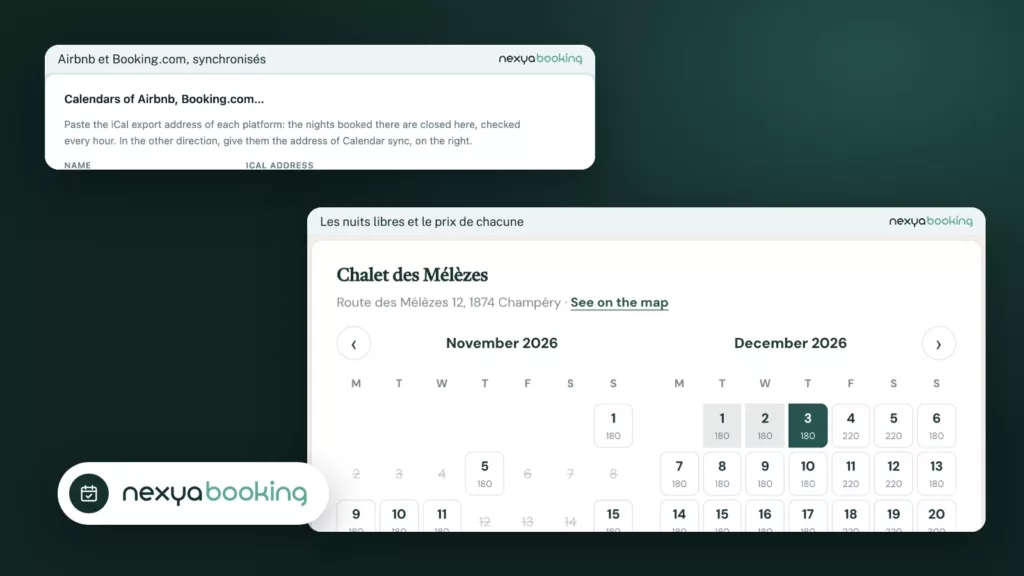
A chalet, a flat, a van or a bike: weekday and weekend prices, seasons, shortest and longest stay, cleaning fee. The visitor sees the price of each night and the total before booking, and the Airbnb and Booking.com calendars stay in sync.

  • iCal import from Airbnb and Booking.com, checked every hour
  • Address and map link in every e-mail
  • Arrival and departure times
nexya Booking: By the night or the day, with the total shown

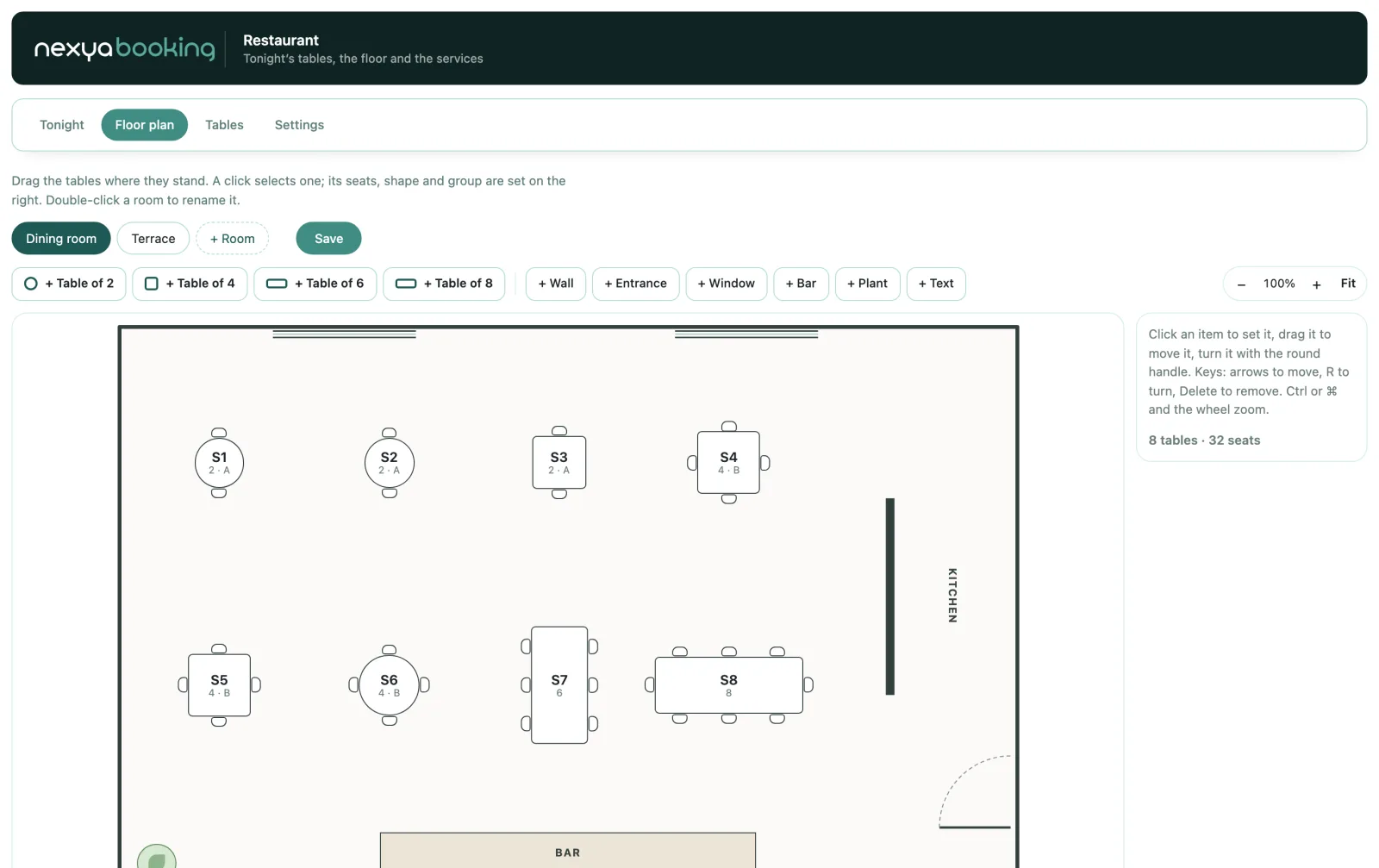
The floor plan

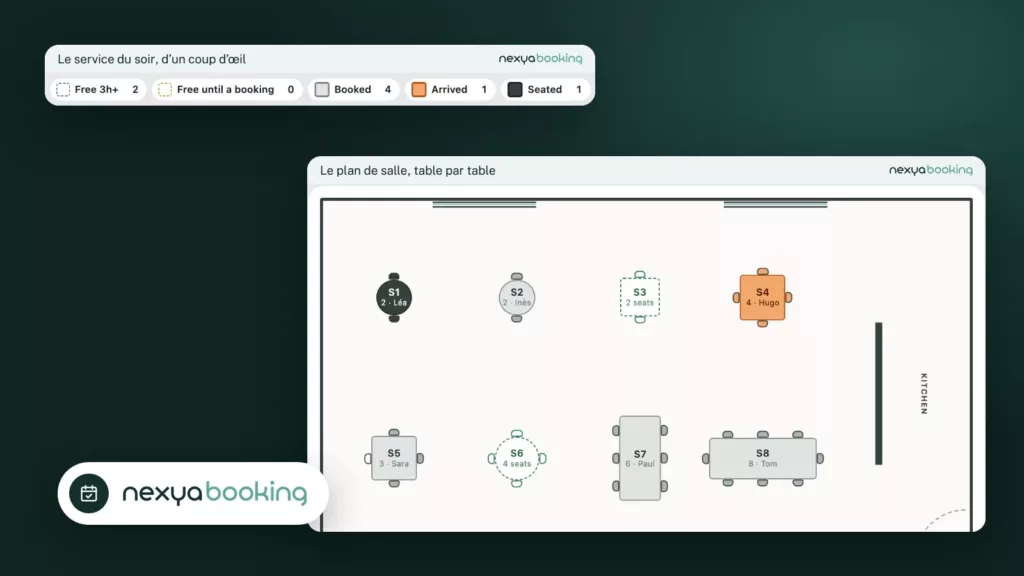
Your room, drawn like a small architect’s plan

Drag the tables into place, turn them, add walls, the entrance, windows and the bar. Each table has its seats, its minimum and its group: nexya picks the best table for each party and joins tables for large ones.

  • Several rooms, terrace included
  • Free rotation of every item
  • Guests can choose their table on the plan
nexya Booking: Your room, drawn like a small architect’s plan

Tonight’s service

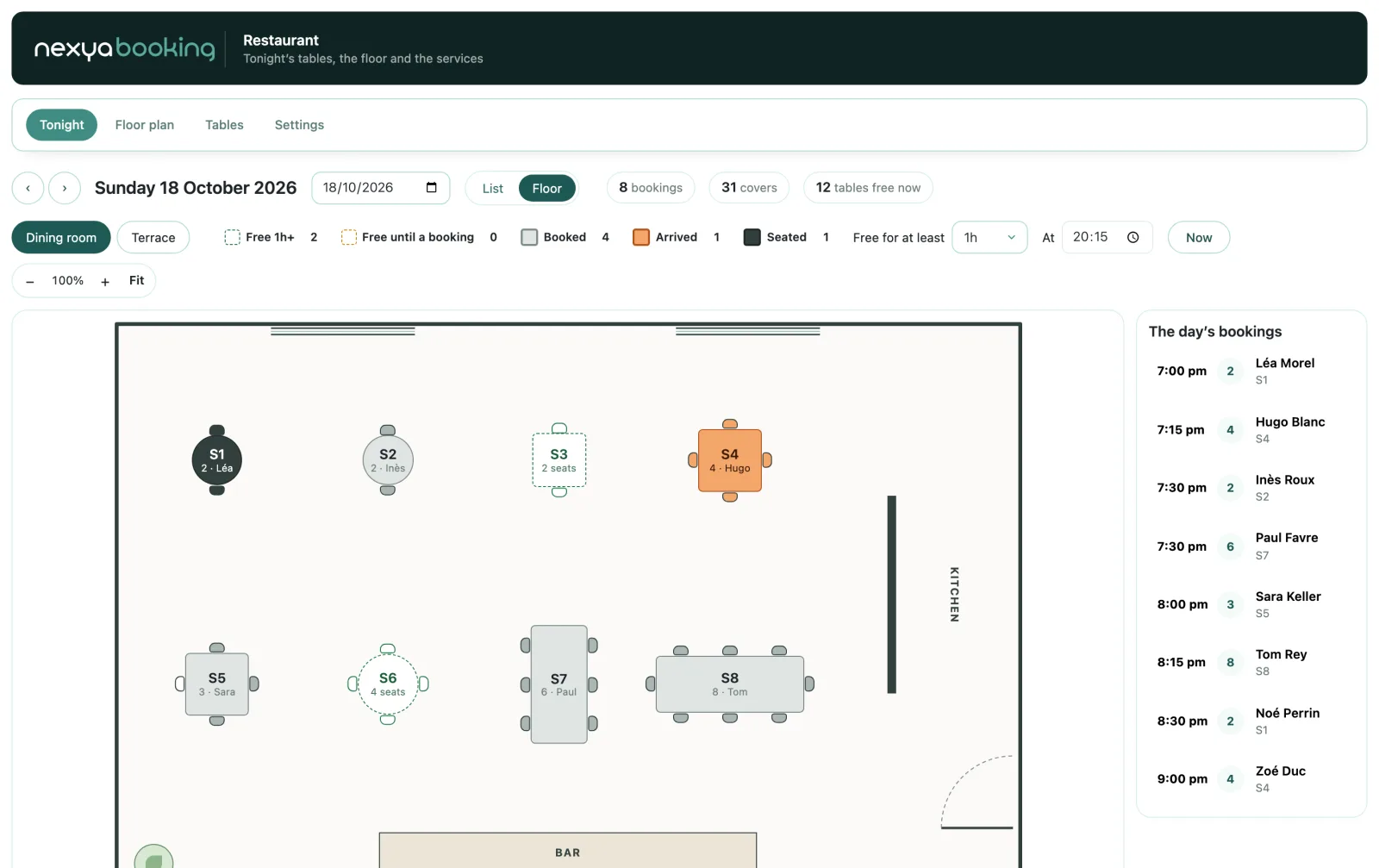
The room at a glance

Free, booked, arrived, seated: each table takes its colour at the time you choose, and tables free for a long while stand apart from those free only until the next booking. One click seats a walk-in, or changes a table.

  • Meal length by party size, adjustable on the night
  • List or floor view, on computer and tablet
  • The team sees the service, without the settings
nexya Booking: The room at a glance

And everything else, already included

  • Online payment Stripe, PayPal or the WooCommerce cart
  • Team role Their profile and agenda, nothing else
  • Figures Revenue and profit, Excel and PDF exports
  • Booking button Shortcode, block and Elementor widget
  • Linked pages One button in a template books the right item
  • Emails Confirmation, calendar file, link to manage
  • Month by month Lists are browsed one month at a time
  • Five languages French, English, German, Spanish, Italian

Pro

Appointments, classes and events with places and a waiting list, rentals by the night or the day with seasons and Airbnb calendars, restaurant with a floor plan and tonight’s service, Stripe, PayPal or WooCommerce payment with deposits, Google Calendar both ways, Team role, figures and Excel and PDF exports, booking button, block and Elementor widget, setup assistant

Live demo

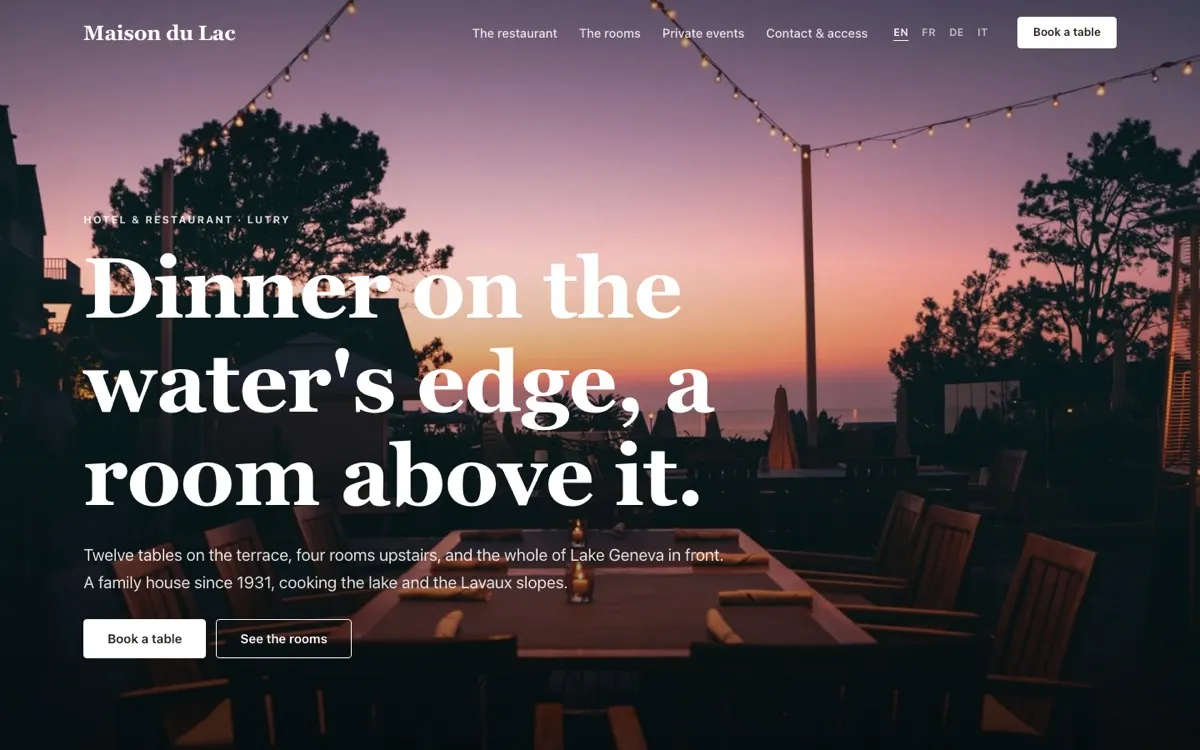
nexya Booking on a real site: Maison du Lac

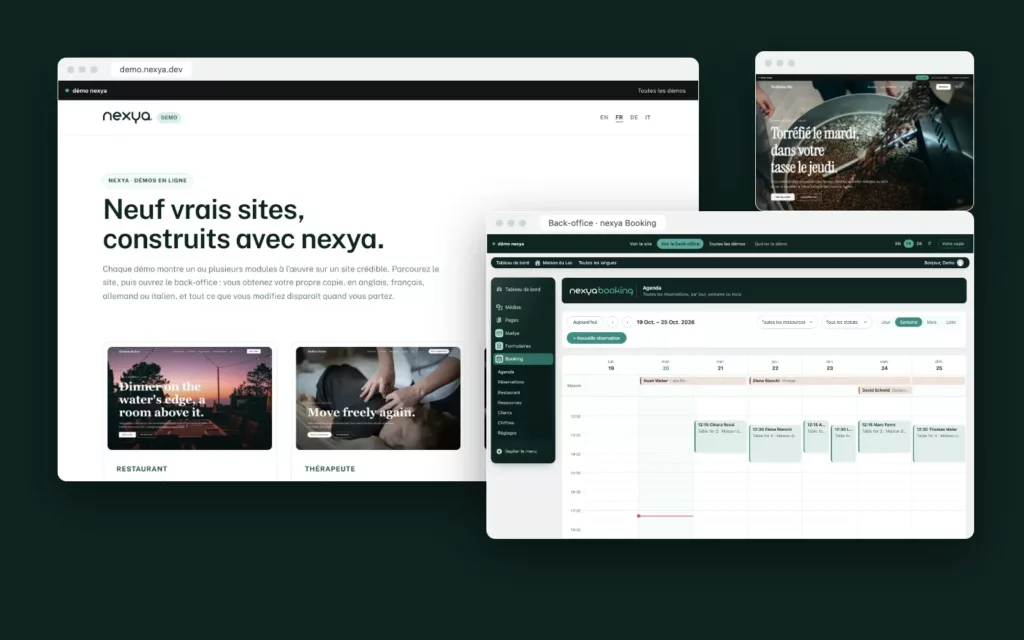
Browse the site, then open the back office: you get your own copy, in English, French, German or Italian, and everything you change disappears when you leave.

On the blog

Our guides: WordPress booking plugin

Guides · 6 min read

Test a WordPress plugin without installing it: nine nexya demo sites open to all

Nine WordPress sites built with nexya are online at demo.nexya.dev, in French, English, German and Italian. You can test a WordPress plugin from end to end, on the visitor side and then in the back-office, with no registration, no credit card and without installing anything on your own site.

  • Nine WordPress sites built with nexya are online at demo.nexya.dev, in French, English, German and Italian.
  • You visit the site like a customer, then open the back-office with one click, with no registration or credit card.
  • Each visitor has their own copy: they can modify anything, no one else sees it, and it disappears when they leave the demo.

Read the post

Guides · 1 min read

Restaurant reservations on WordPress, with a real floor plan

Restaurant reservations on WordPress are more than a time and a number of guests: you need a table that fits, the right length and a room you can read during service. nexya Booking handles it with a real floor plan.

  • You draw your room like a small architect’s plan: tables, chairs, walls, entrance, windows and bar.
  • nexya seats each party at the best table, and joins tables for large parties.
  • As an option, guests choose their table on the plan.

Read the post

Guides · 1 min read

Vacation rentals: take direct bookings on your WordPress site

A chalet, a flat, a van or a bike: booking a vacation rental on WordPress has to show the price of each night and the total, and never rent the same dates twice. Here is how to do it with nexya Booking, next to Airbnb and Booking.com.

  • Weekday and weekend prices, seasons, shortest and longest stay, cleaning fee.
  • The visitor sees the price of each night and the total before booking.
  • Airbnb and Booking.com calendars are imported in iCal and close the nights taken elsewhere.

Read the post

Get started

nexya Booking in three steps

  1. Switch on Booking In the nexya hub: the setup assistant opens on its own.
  2. Say what is booked Appointments, classes, rentals or a restaurant: the assistant creates the first ones with you.
  3. Open the bookings The page is ready, and a button goes on any page or in Elementor.

nexya Booking is in the Pro version, with a seven-day free trial.

FAQ

Everything about nexya Booking

One that covers your activity without stacking add-ons. nexya Booking takes appointments, classes and events with places, rentals by the night or the day and restaurant tables, with online payment, Google Calendar and e-mails, in nexya Pro.

Switch on Booking in the nexya hub: an assistant asks what your visitors book, creates the first service, the team and its hours with you, then the booking page. It takes about two minutes.

Yes, in full or with a deposit, through Stripe, PayPal or the WooCommerce cart. A service can also stay free or be paid on site, and refunds follow your cancellation rules.

Yes, both ways: each person connects their Google Calendar, bookings appear in it and their private events block their slots on the site. An iCal link also works with Apple Calendar and Outlook.

Yes: weekday and weekend prices, seasons, shortest and longest stay, cleaning fee and arrival times. Airbnb and Booking.com calendars are imported in iCal to avoid double bookings.

You draw your room on a plan, with the tables, their seats and the ones that can be joined. nexya seats each party at the best table, guests can pick theirs on the plan, and at night the team sees at a glance which tables are free, booked, arrived or seated.

No extra subscription and no add-ons to buy one by one: appointments, events, rentals and restaurant are in nexya Pro, with the rest of the suite. And unlike an outside service, everything happens on your site, in your colours.

Yes: the Team role gives access to their profile and to Booking only. Each person sees their agenda and sets their hours and days off, and the restaurant team sees tonight’s service without the settings.

The suite

Other modules