Key points
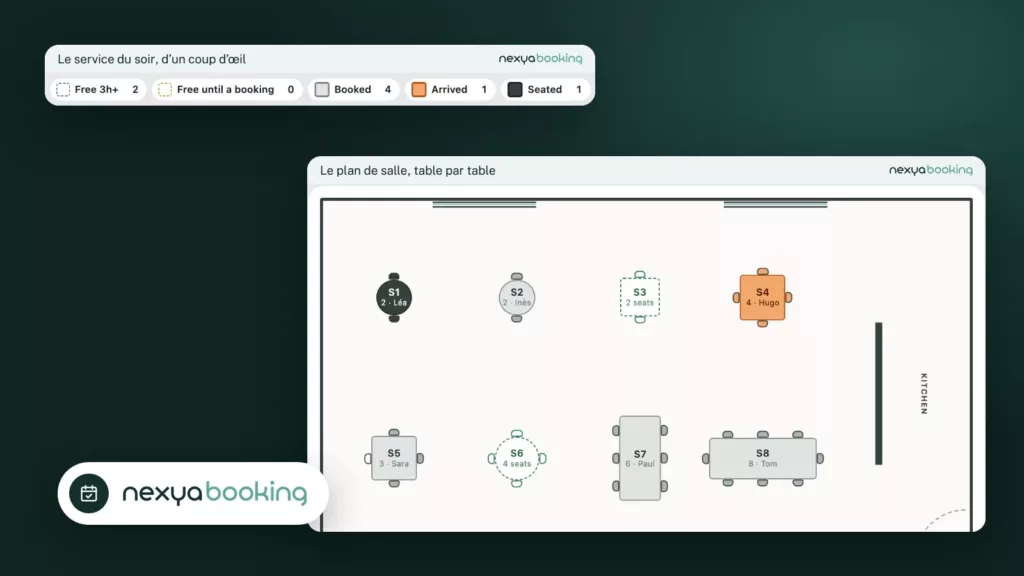
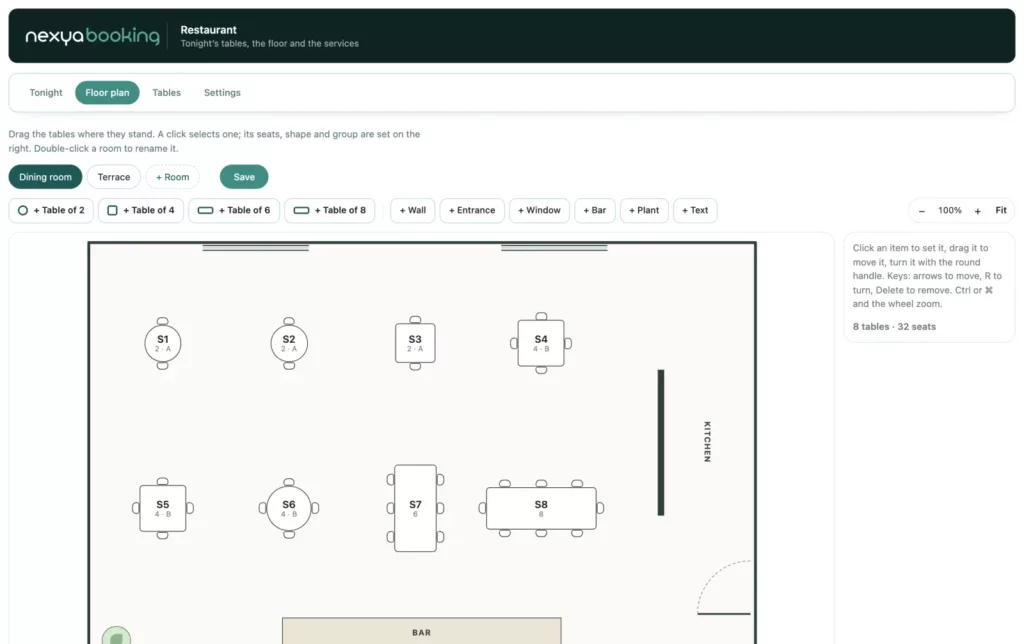
- You draw your room like a small architect’s plan: tables, chairs, walls, entrance, windows and bar.
- nexya seats each party at the best table, and joins tables for large parties.
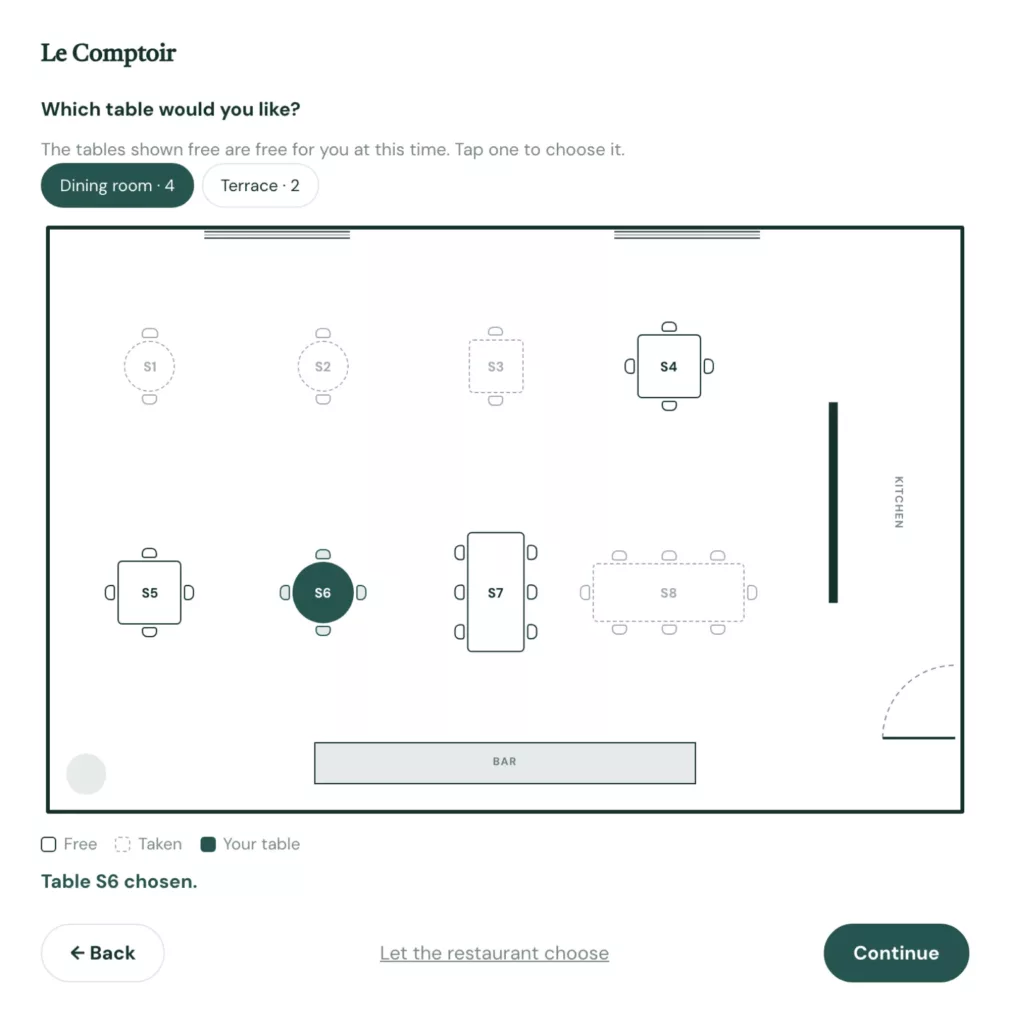
- As an option, guests choose their table on the plan.
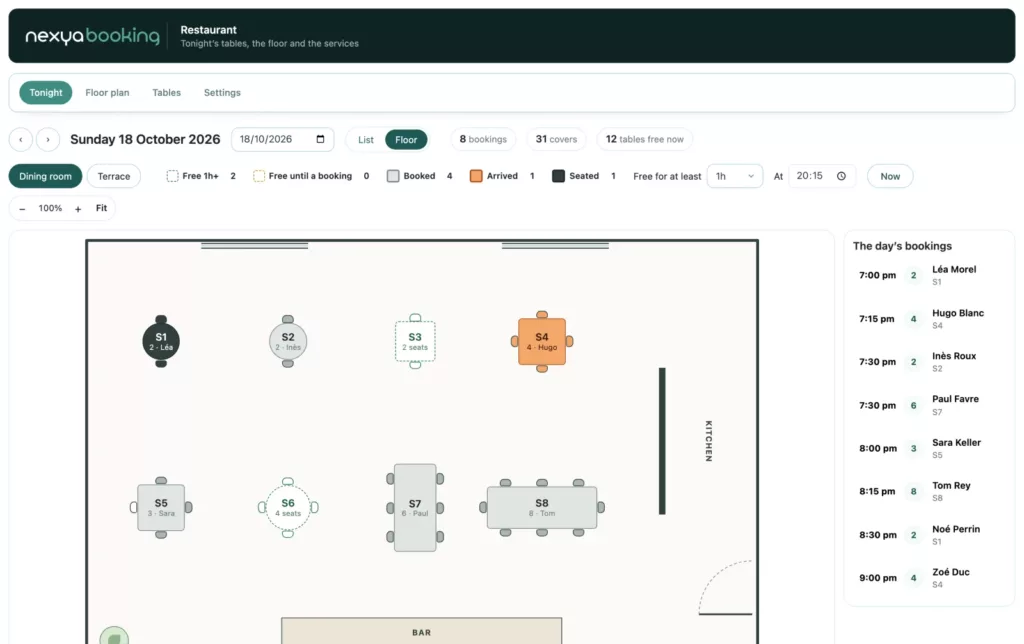
- At night, each table takes its colour: free, booked, arrived, seated.
What restaurant reservations need
A restaurant reservation is a number of guests, a time and above all a table. A table for two should not go to a single guest when the night is full, a large party needs tables joined, and a dinner for eight lasts longer than one for two.
How nexya Booking does it
You draw the room: each table with its seats, its minimum and the group of tables that can be joined, in one or several rooms, terrace included. Lunch and dinner have their hours, and the length of a meal depends on the size of the party. The guest gives the number of people, the day and the time: nexya picks the best free table, or lets them choose it on the plan.
During service, tonight’s view shows each table in colour. Tables free for a long while stand apart from those free only until the next reservation, and one click seats a walk-in.
Open your restaurant’s reservations with nexya
-
1
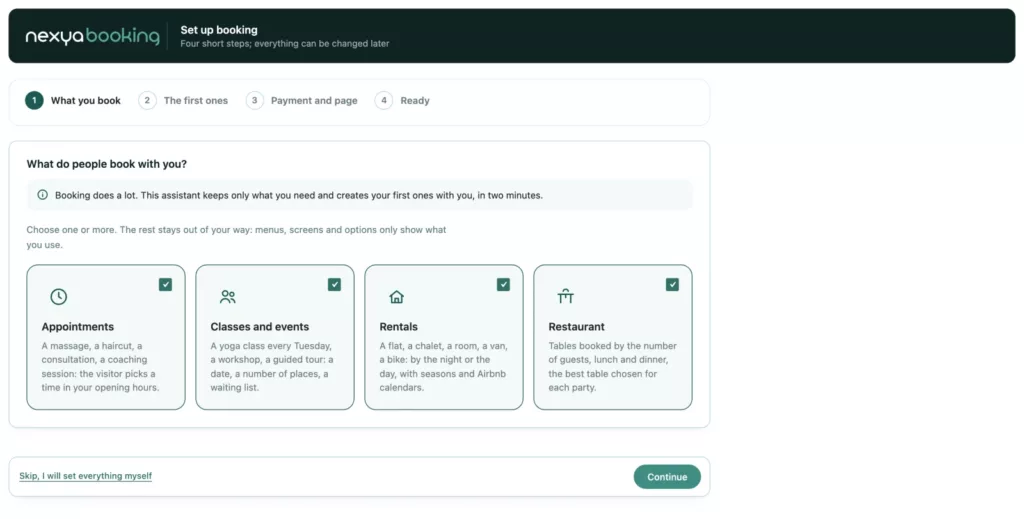
Choose “Restaurant”
In the Booking assistant, tick Restaurant, give the number of tables for 2, 4 and 6, and the services.
-
2
Draw the room
Drag the tables into place, turn them, add walls, the entrance and the bar.
-
3
Let guests choose
Publish the reservation page, and switch on the option to choose a table on the plan.
Compared with TheFork and OpenTable
The big reservation platforms bring visibility, with a subscription or fees depending on the plan. Guests who already know you can book directly on your site.
| nexya Booking | TheFork / OpenTable | |
|---|---|---|
| Where people book | On your site | On the platform or its widget |
| What you pay | Included in nexya Pro | A subscription or fees depending on the plan |
| Floor plan | Yes, to draw | Yes |
| Guests choose their table | Optional | Depending on the platform |
Nothing stops you from keeping a platform to be discovered, and taking your regulars’ reservations on your own site.
FAQ
Can the length of a meal be set?
Yes: by party size, per service, and booking by booking on the night itself.
Can it handle large parties?
Yes: tables of the same group are joined automatically when no single table is big enough.
Does the floor team see the settings?
No: with the Team role, they see tonight’s service and seat guests, without the settings or the plan editor.
The modules in this post
Try nexya Pro free for 7 days
Every module, forms, newsletters and the page cache, on your site. No commitment.